Seismica
Explore earthquakes. Keep the evidence.
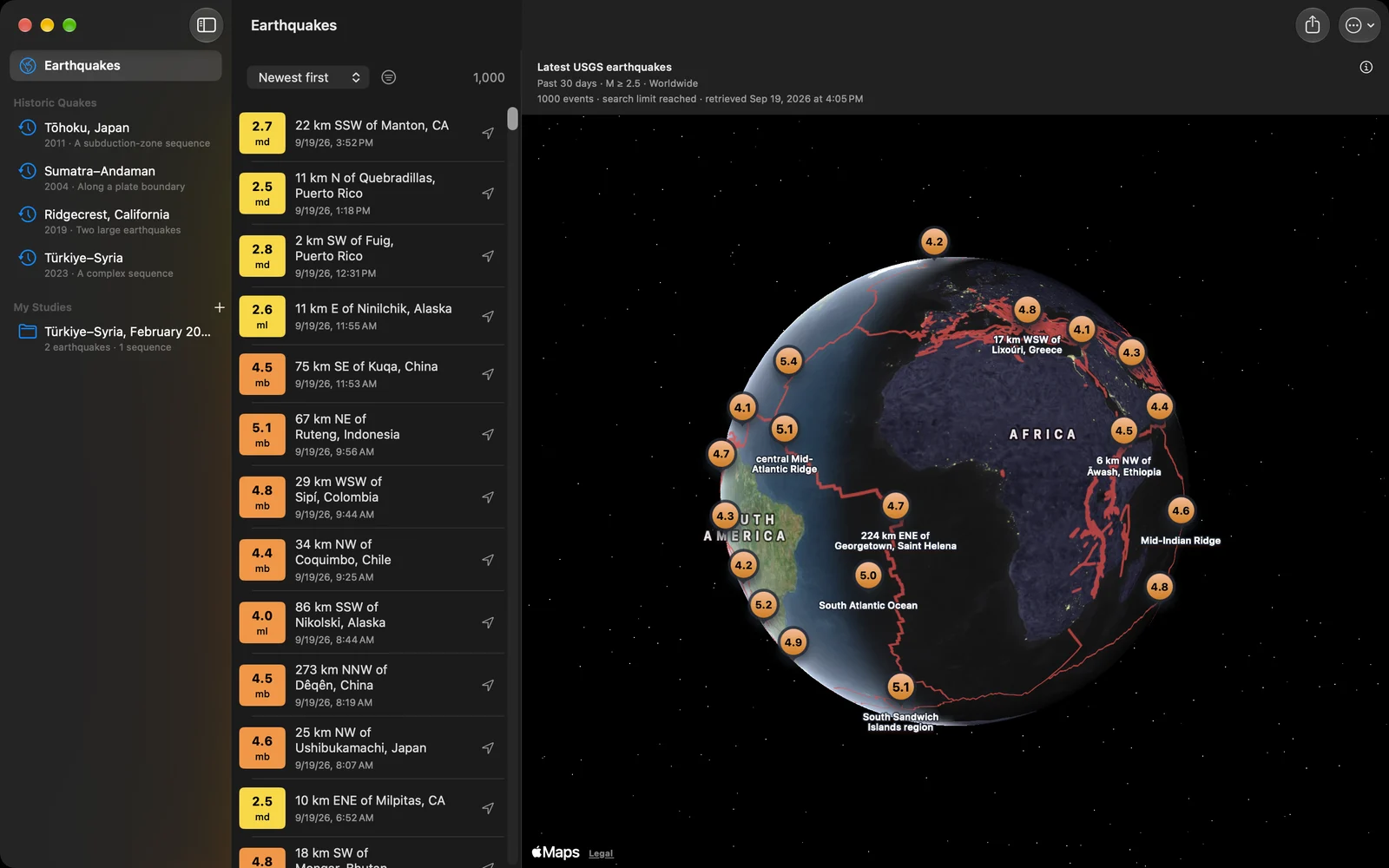
Every earthquake the USGS publishes, on a globe you can turn, with the world’s active faults drawn underneath. Search a region and a period, open an event and read what was measured, replay how a great earthquake unfolded hour by hour, and keep what you find in a study with your own notes. The source and the retrieval time stay attached to everything you save.
Mac, iPad, iPhone
Free. No ads. No account.
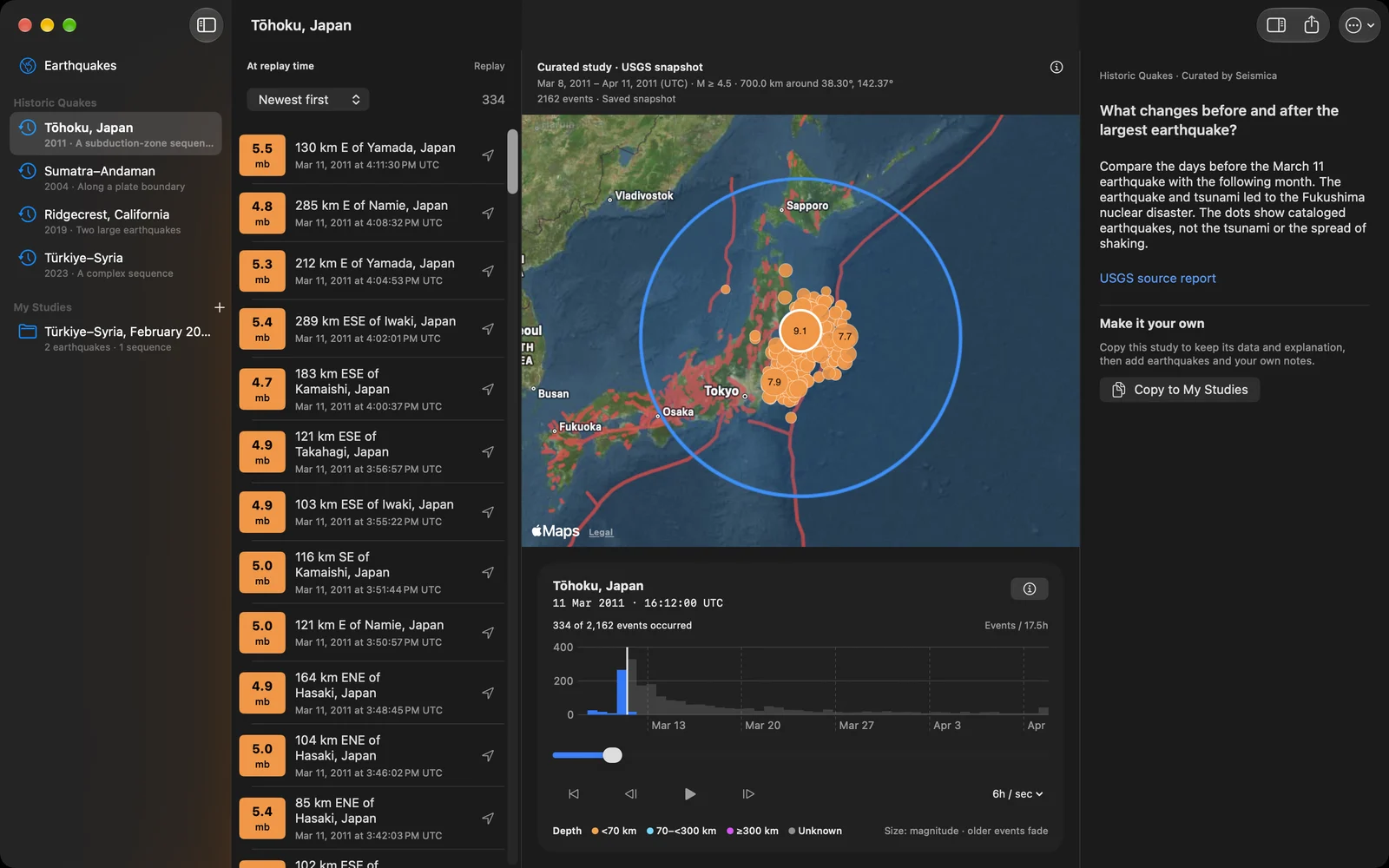
Replay the great earthquakes
Tōhoku 2011, Sumatra–Andaman 2004, Ridgecrest 2019 and Türkiye–Syria 2023 are built in, each with the catalogued earthquakes around it, a short explanation of what to look for and its USGS source. Press play and the sequence unfolds on the map: the days before, the mainshock, then the aftershocks gathering along the rupture and fading as time moves on. Dots are sized by magnitude and coloured by depth. The chart under the map shows how many events each stretch of time held, and you set the pace: an hour, six hours or a day for every second.
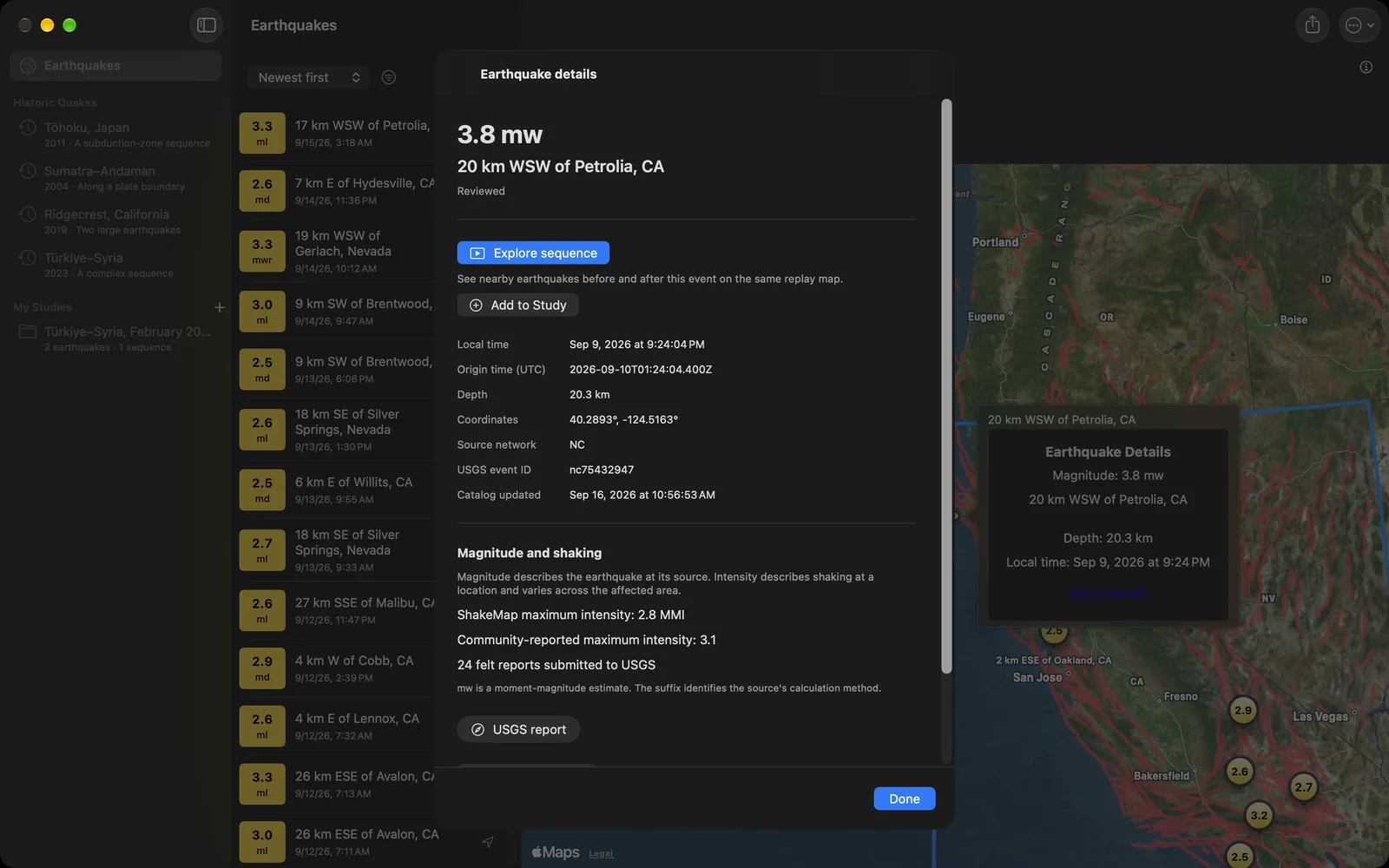
It is not limited to the four. Open any earthquake and choose Explore sequence, and Seismica fetches the events before and after it, nearby, and plays them the same way.
Read an earthquake, with its context
Magnitude and shaking intensity answer different questions, and the event view keeps them apart. It shows the reported magnitude and its scale, depth, coordinates, local time and UTC, the review status and when the catalog record was last updated. Where the USGS has a ShakeMap, community intensity or felt reports, those appear on their own lines. The full USGS report opens inside the app.
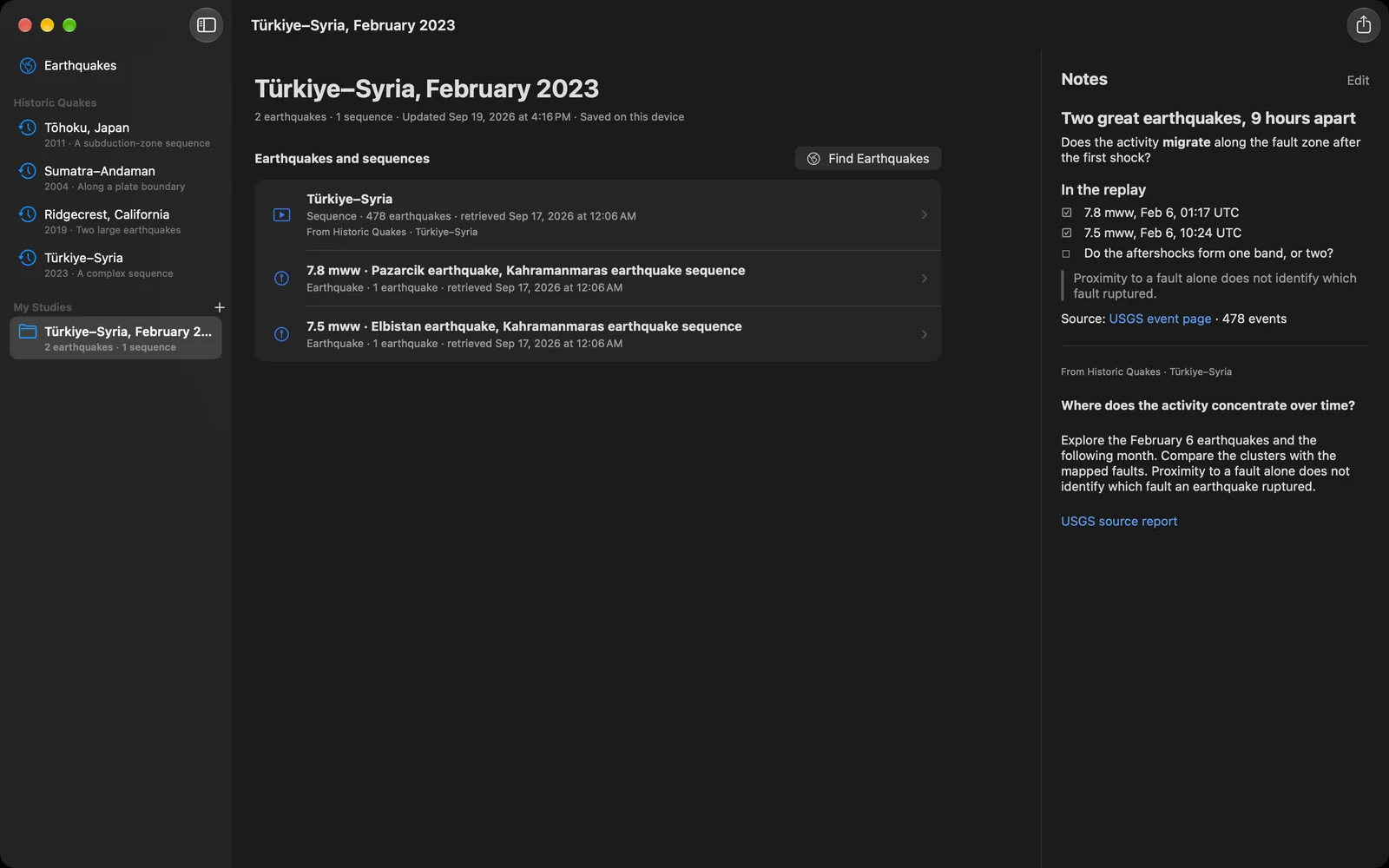
Build a study. Keep your notes.
A study is a folder for a question. Add single earthquakes, whole searches and replay sequences to it, or start from a copy of a historic earthquake. Each item keeps a frozen copy of its records, so the study reads the same next month, opens offline, and still lets you run the search again when you want today’s catalog.
Notes sit beside the evidence. Write them in Markdown: headings, lists, checkboxes, quotes, links, tables and pictures. They save as you type.
Share a study as one file
A whole study, notes included, exports as a single .seismica file named after the study. Send it by AirDrop, Mail or Messages and it opens in Seismica on the other device with every record and every source in place. For other tools, export the events as CSV for a spreadsheet, or as GeoJSON with the records, the search, the source and the retrieval time.
Here is the study in the picture above, free to use. Download it, then open it with Seismica: Türkiye–Syria, February 2023.
Find the events that matter
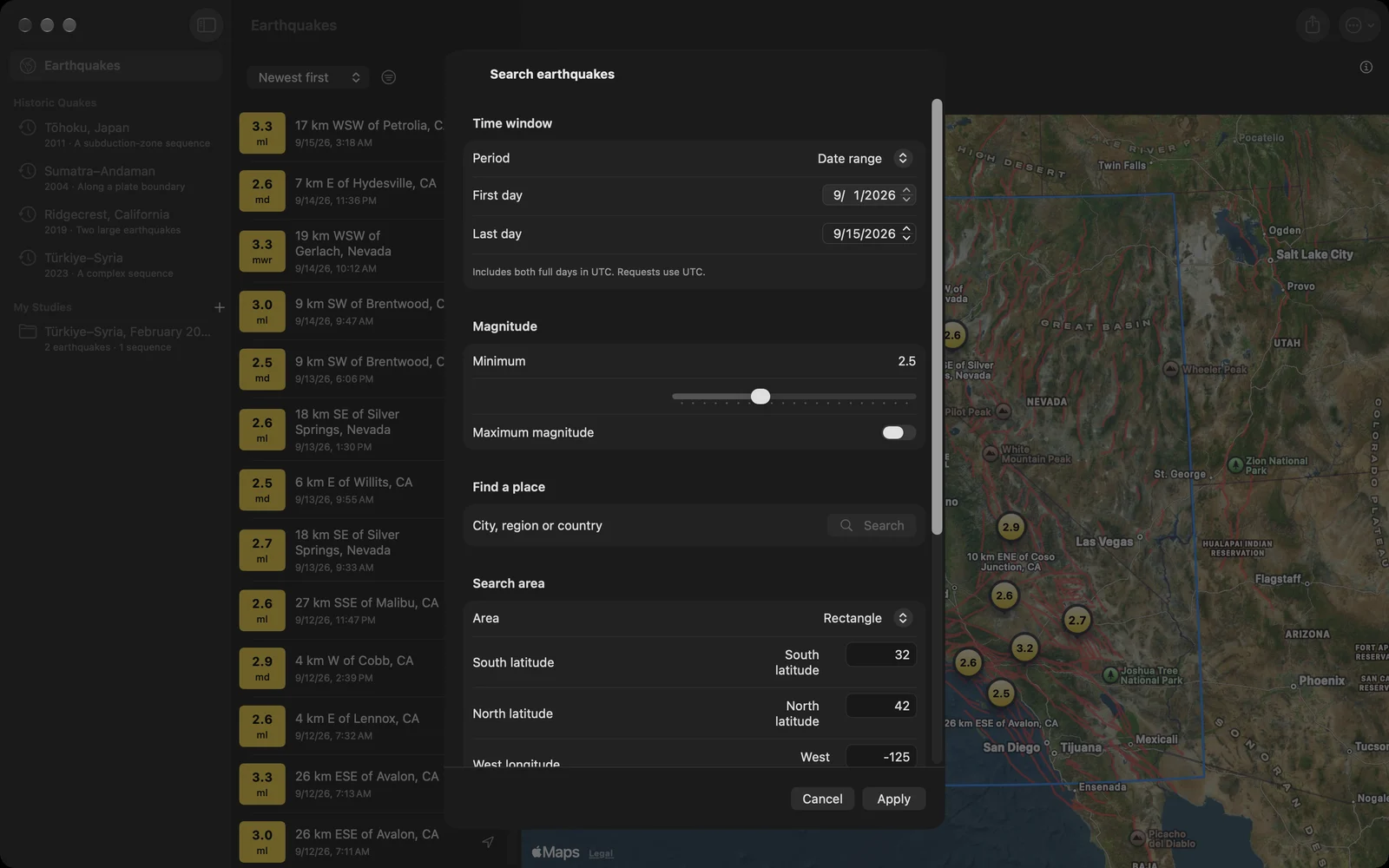
Search for a city, a region or a country, use the part of the map already in front of you, or give a centre and a radius. A blue outline shows the area that was searched. Choose the past day, week or thirty days, or a first and a last day of your own, and set a minimum and a maximum magnitude. Sort the list by time or by magnitude.
Know what you are looking at
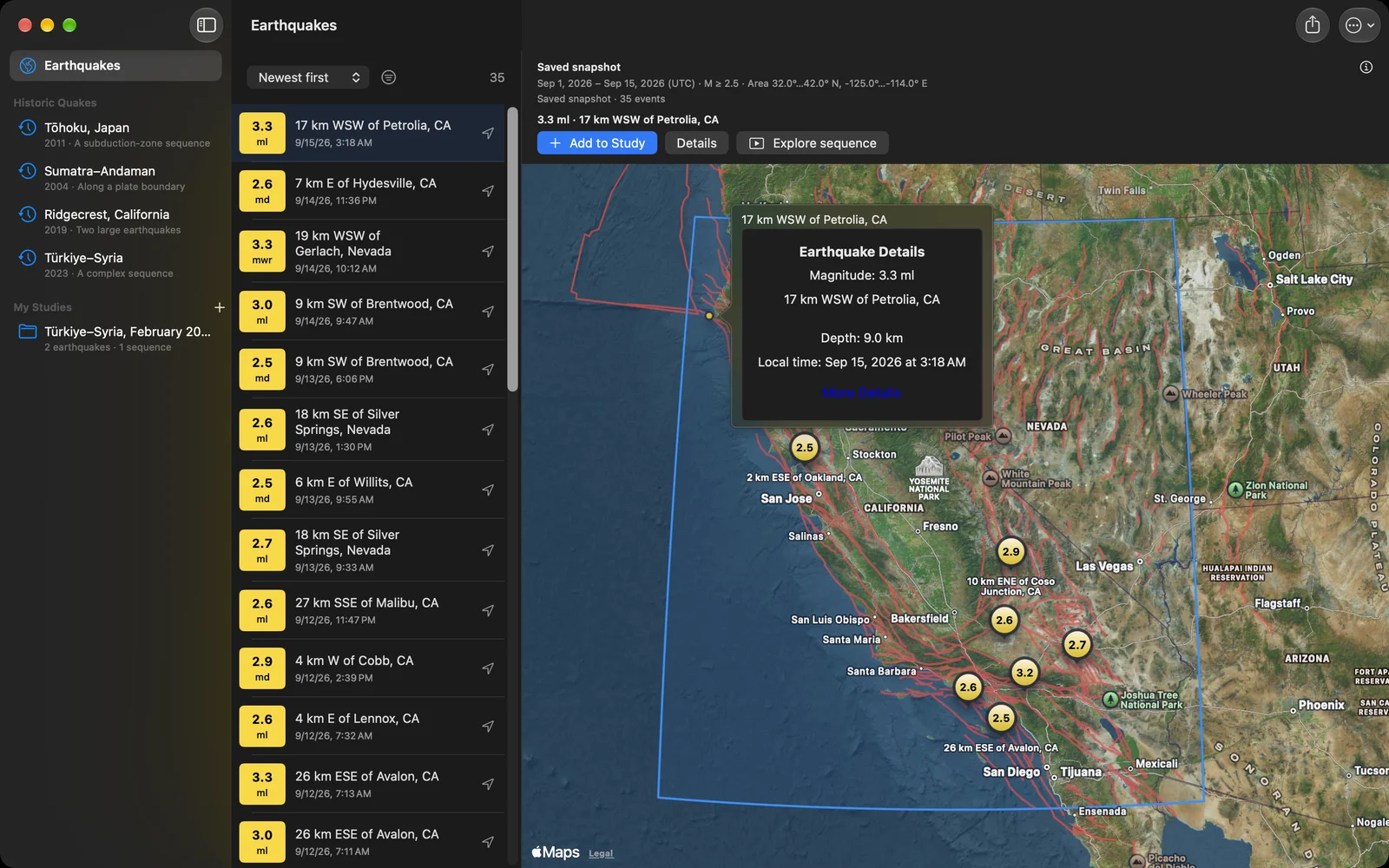
Every result names its source, when it was retrieved and the window it covers. A search returns up to 1,000 of the newest matches and says so when it reaches that limit, so a large search never quietly looks complete. A refresh that fails leaves the earlier results on screen. A measurement the catalog does not have stays unknown; it never becomes a zero.
The fault lines are the GEM Global Active Faults dataset, bundled with the app, in a colour and width you choose. They are geological context. A fault trace is not a plate boundary, not a statement about which fault ruptured, and not an assessment of anyone’s risk.
Made for the Mac
The sidebar is the library: the live catalog, the four historic earthquakes and every study of yours, one click away. A study shows its evidence on the left and its notes on the right, and the list of earthquakes sits beside the map so you can compare places without losing yours. The menu bar carries the things you do often: ⇧⌘N starts a study, ⇧⌘I imports one, ⇧⌘E exports it, ⌘1 returns to the earthquakes, ⌥⌘I hides or shows the notes, ⌘, opens settings. Double-click a .seismica file in Finder and it opens in Seismica.
On iPhone and iPad
The same catalog, replays and studies. On iPhone the globe fills the screen and the list, the search and the studies open when you ask for them. On iPad the list and the notes sit beside the map, as they do on the Mac. A .seismica file from Files, Mail or AirDrop opens straight into your studies.
Published earthquakes here, your own motion there
Seismica explores what the USGS has published. Our iSeismometer does the other half: it is a seismograph for the device itself, recording and charting the motion where you are. Each works on its own.
Yours stays yours
Studies are stored on your device. There is no account and no sync; a study moves when you export it and send it. Catalog requests go to the USGS, the map and place search are Apple’s, and a picture in your notes loads from the web address you gave it. Fresh data, map tiles and USGS reports need a connection; saved records do not.
Questions people ask
Does Seismica predict earthquakes or send alerts? No. It shows published earthquake information. For warnings, use the official alert and emergency services for your area.
Where does the data come from? The USGS earthquake catalog, requested directly from your device. Each result shows when it was retrieved.
Are all earthquakes included? Coverage depends on the catalog, the filters and the period. A search returns up to 1,000 of the newest matches and labels a limited result. Complete means every match the catalog returned for that request, not every earthquake that occurred.
Does it work offline? Saved studies open and export offline. Fresh searches, map tiles, place search and USGS reports need a connection, and saving a study does not download a map.
What is a .seismica file? One study: its earthquakes, searches and sequences with their frozen records, and your notes. It is plain JSON inside, so other tools can read it too.
Is it free? Yes, on every platform, with no ads and no in-app purchases.
What changed lately? The newest work is written up in the release post.