MyFoodAnalysis for iPhone and iPad: a food log on USDA data
When MyFoodAnalysis went up in September, it was a way of looking at USDA FoodData Central: 455,000 foods, a page for each, rankings, and the Food Finder. At the end of that post I wrote what was next: accounts, so you can keep a food log and see your day against your own targets. That is now an app for iPhone and iPad.
The idea is the same as the site’s. Every number in your log comes from a USDA record, and the app tells you when it is guessing. A food that doesn’t report a nutrient shows it as not reported, never as zero, and a food that came from a photo is marked as an estimate.
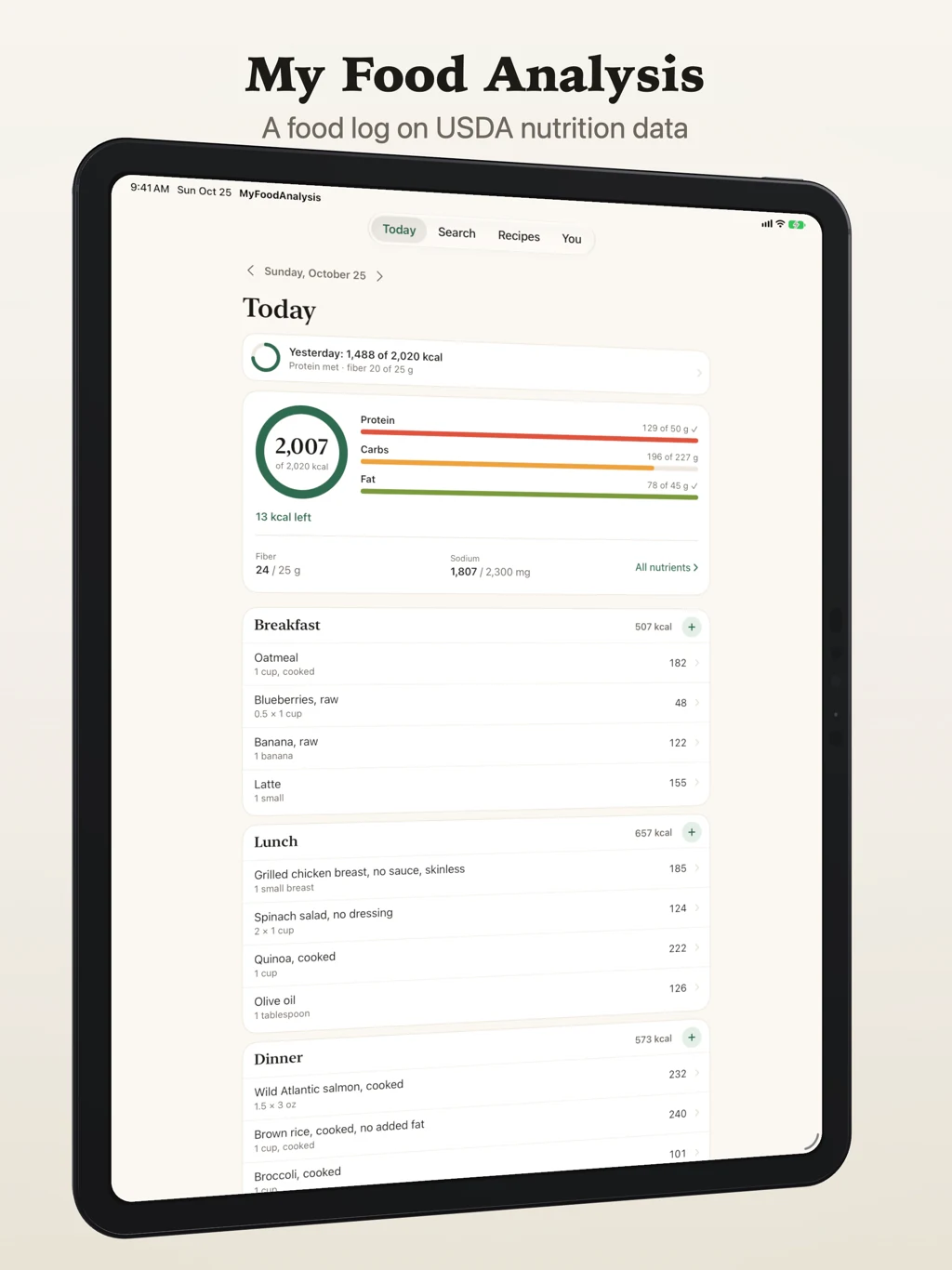
Your day on one screen
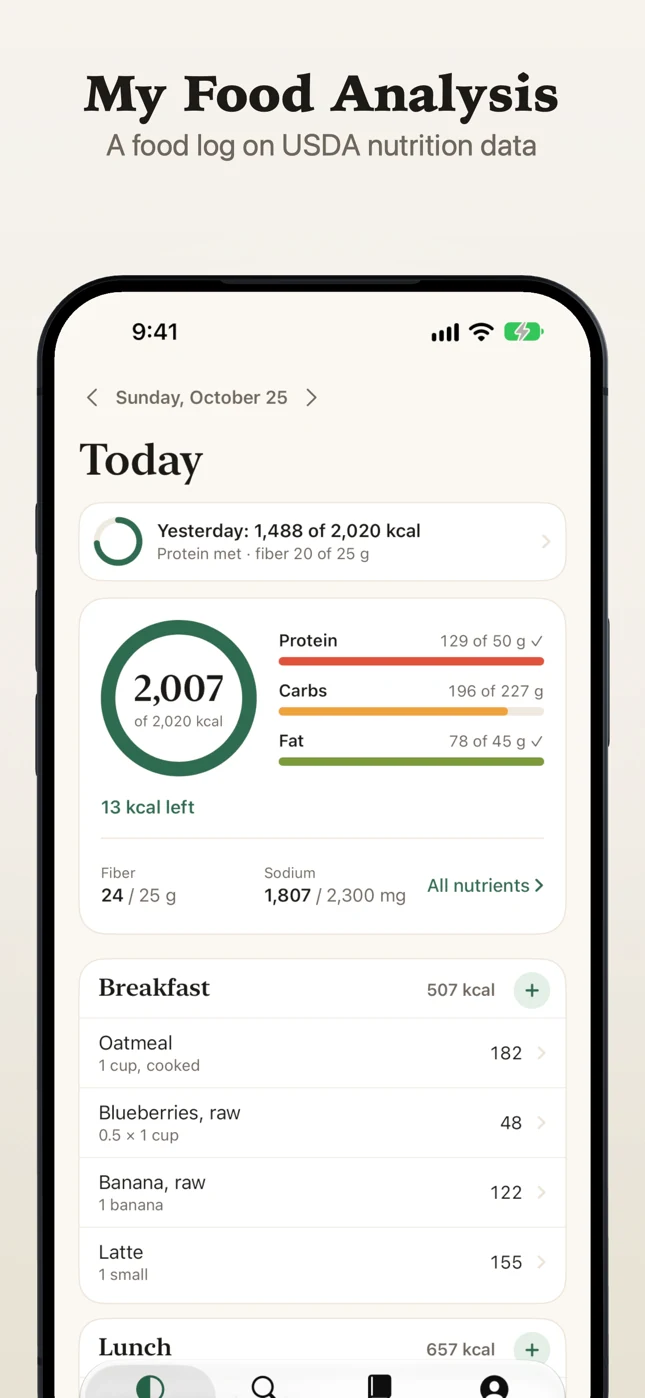
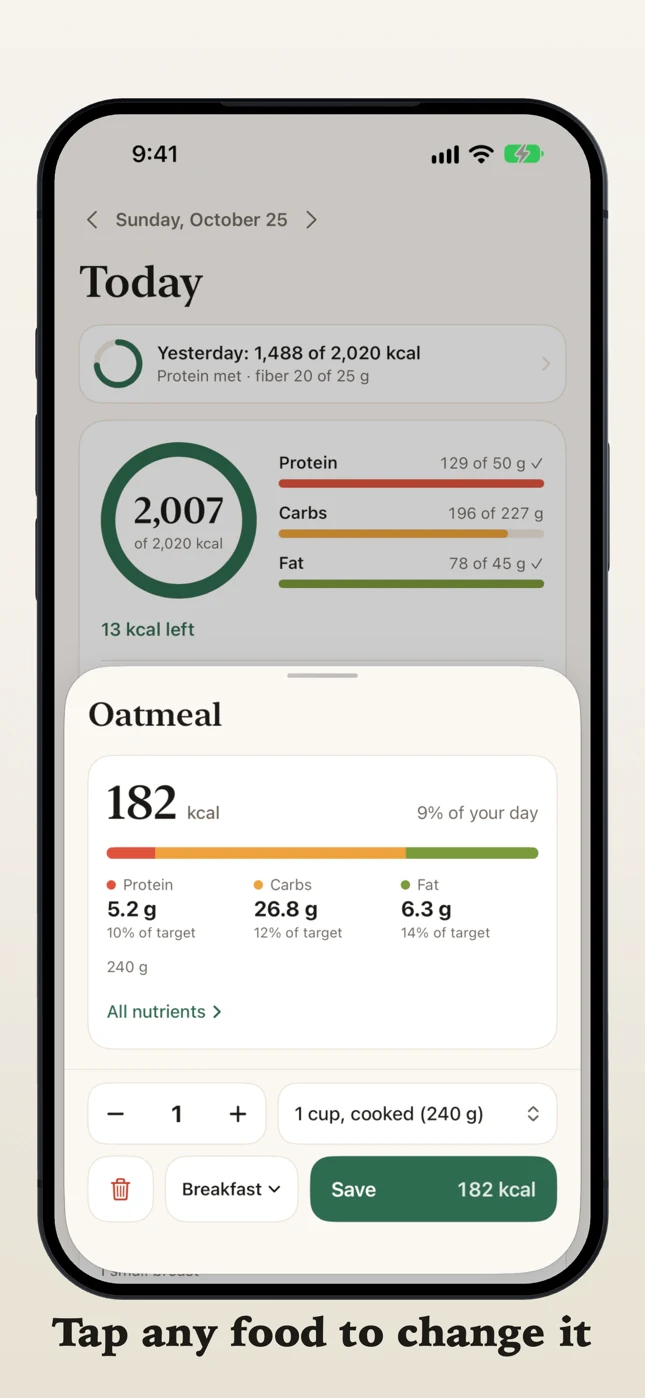
Today is a ring for calories and bars for protein, carbs and fat, each against your target, with fiber and sodium under them. Every meal is a card. Tap any food in it to change the amount, the serving or the meal, or to delete it; long-press it to move it, say from dinner to lunch. Swipe sideways to turn the page to another day.
Three ways to log a meal
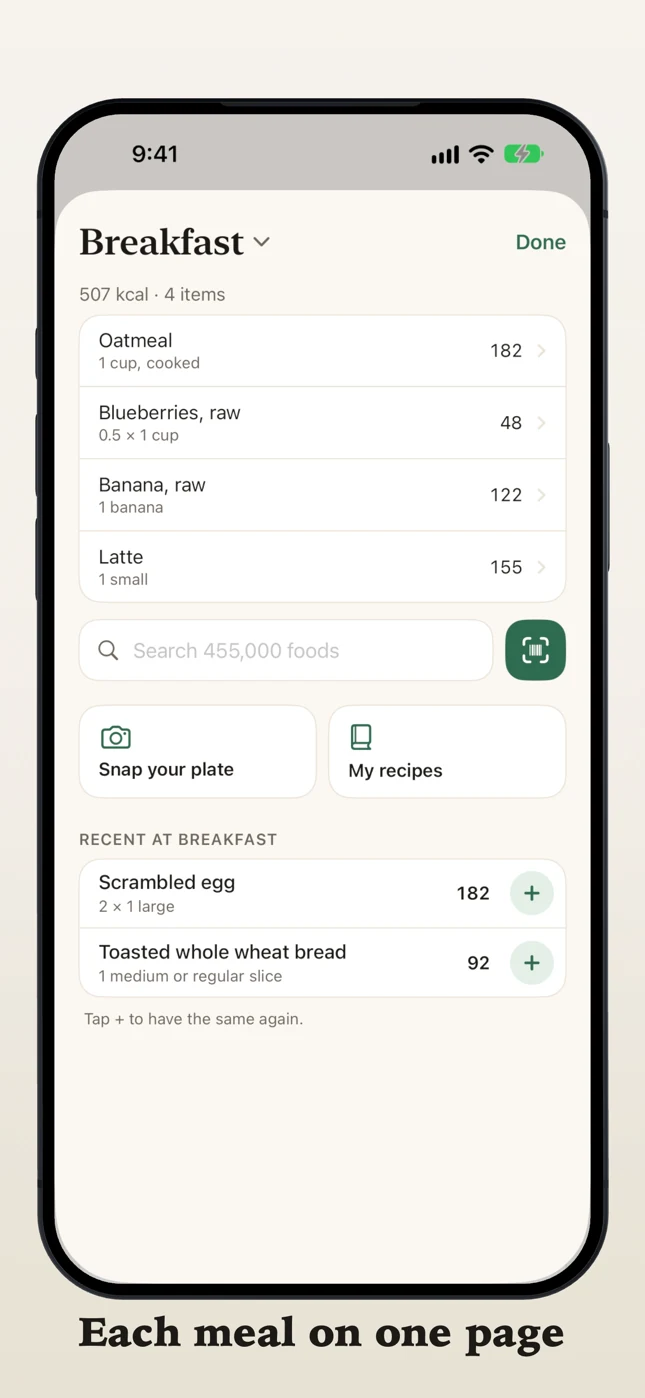
Each meal has its own sheet, with its foods listed above the search, so adding to breakfast happens where breakfast is. From there:
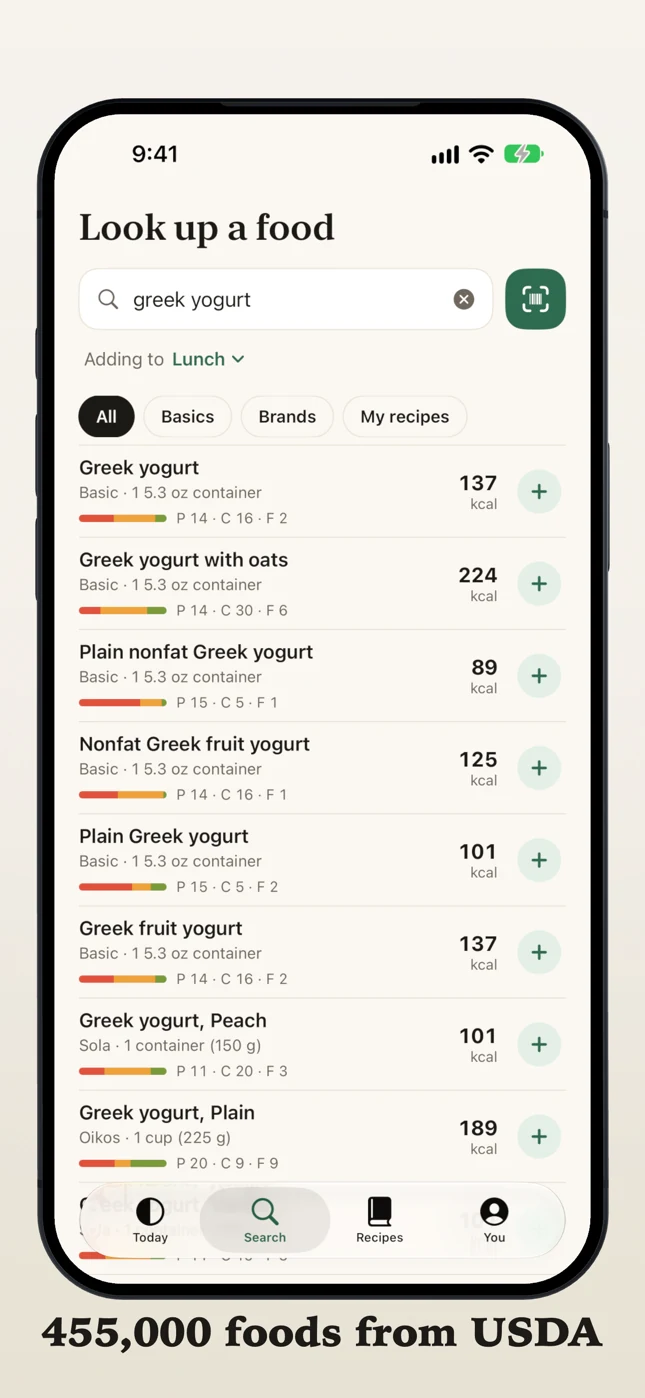
Search any food or brand. It is the site’s search, so spelling mistakes are forgiven. Every result shows its serving, its calories and a small bar of protein, carbs and fat, and tapping one shows what is in it, with its share of each of your targets, before you add it.
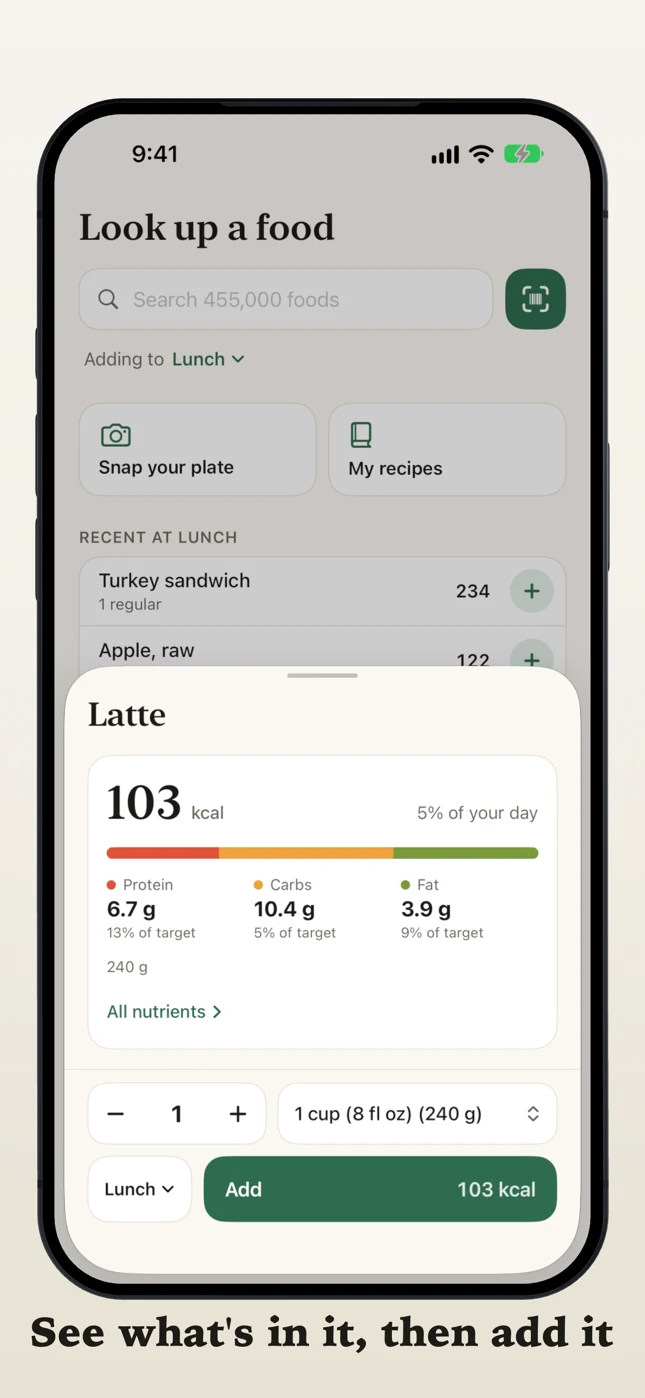
Scan a barcode on anything in a package. The numbers are the label the maker sent to USDA.
Snap your plate and the app reads the photo: it names each food, estimates the amounts and matches every food to a USDA record. You check all of them before anything goes into your log. The photo is read by an AI model on computers we run ourselves; no outside AI company receives it. The first time you take one, the app asks first and says exactly that, and if you cancel the review, the photo is deleted.
Every nutrient, against targets made for you
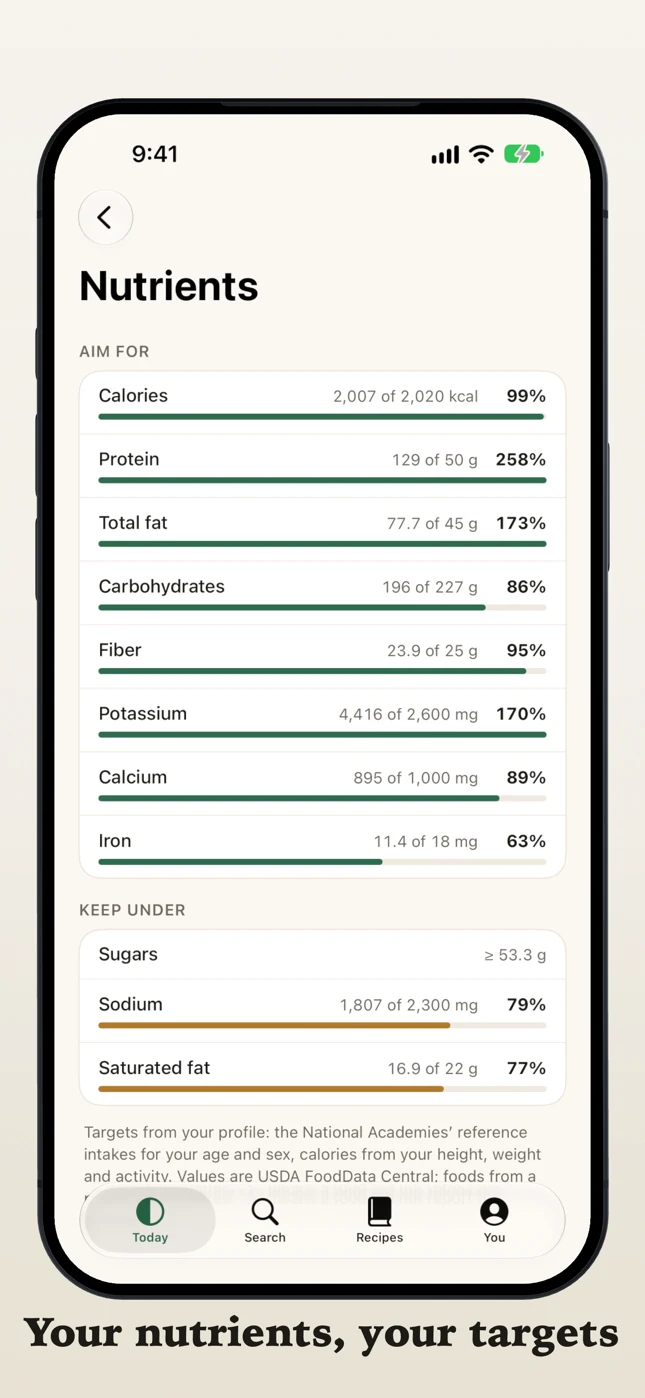
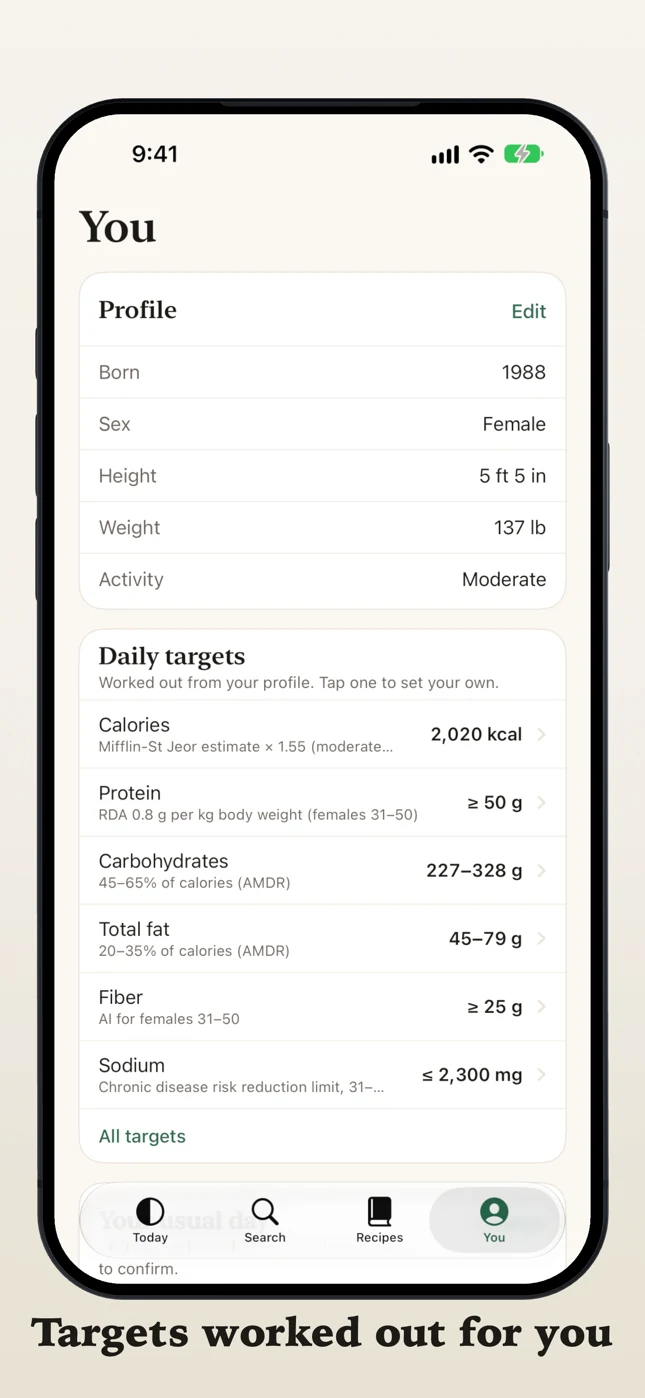
A food log is only as useful as the targets it measures against, so the app works them out from you: your age, sex, height, weight and activity. For adults the nutrient targets come from the National Academies’ Dietary Reference Intakes, and under 19 from the FDA Daily Values. In pregnancy the app asks the trimester, and when breastfeeding the baby’s age, because the targets change with both. Each target says where it comes from, and any of them can be set by hand.
Then every nutrient in your day is measured against its target, and the colors mean something: green is good, and amber, then red, is a lot of something you want to keep under, like sodium or saturated fat.
Recipes, and your usual day
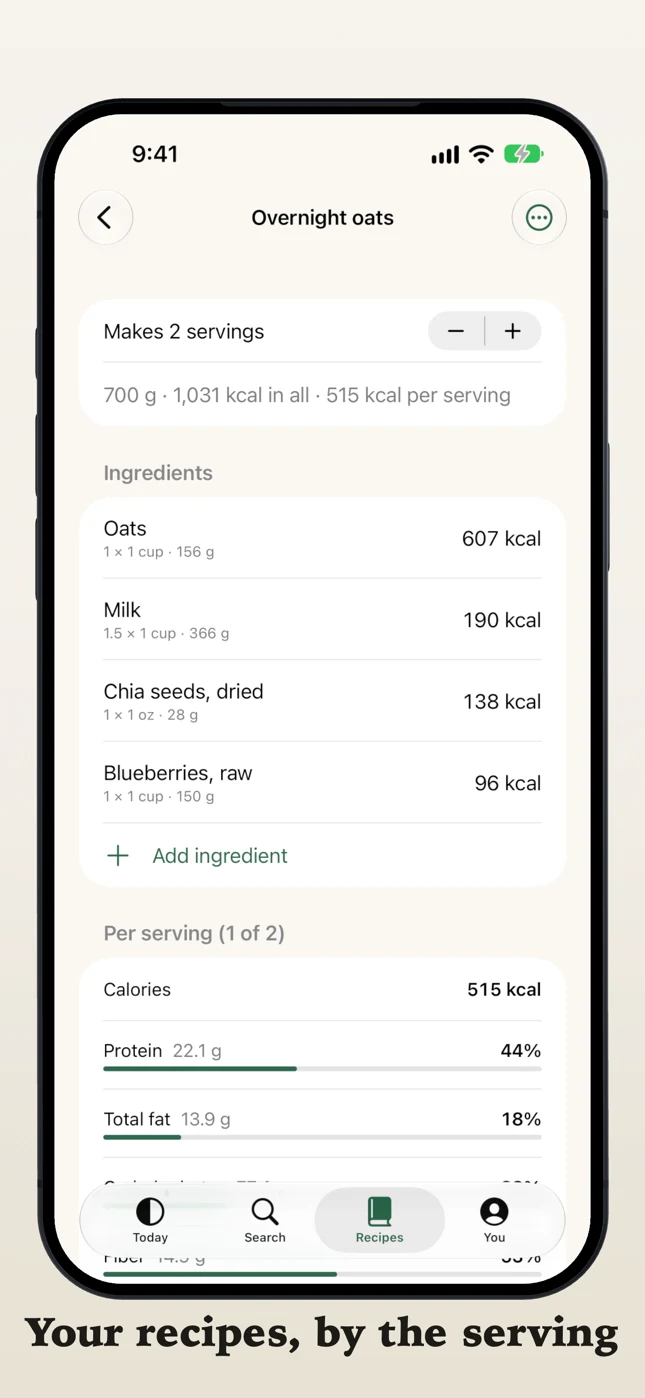
Build a recipe once from its ingredients, say how many servings it makes, and log it by the serving.
Most of us eat the same few things on most days, so you can tell the app what you usually have for breakfast, lunch, dinner and snacks. Each morning those meals are waiting in your log, faded, and one tap on Had this logs them. Nothing counts until you say so.
One account, on the phone and on the site
Sign in with Apple, Google or email. It is the same account and the same log on myfoodanalysis.com, so a lunch logged on the phone is there on the computer. Download my data and Delete account are both in the app. There are no ads and no tracking. What the app keeps, how meal photos are handled and its App Store privacy label are on the app’s page.
MyFoodAnalysis is information, not medical advice. If you are on a medical diet, work with your dietitian and set the targets they give you. The app is in English, for iPhone and iPad with iOS 18 or later, and the site still needs no sign-up to look foods up.