iSameGame
Clear it all. Share the code.
SameGame is the puzzle where you tap a group of touching tiles of one colour to clear it, the tiles above fall, and empty columns close up. The trick is that a group of n scores n(n−1)×10, so two tiles are worth 20 and twenty tiles are worth 3,800: you spend the game herding colours together so that one tap clears a lot. iSameGame plays it with spheres in 3D, on a board you can tilt, and every board it deals can be cleared.
iPad, iPhone
No iPhone to hand? The same game, dealing the same boards, plays in any browser at samegame.app. A board code is the same board there and in the app.
Every board is a code
The board you are looking at has a code, something like C-7K3P9Q. The code deals exactly
that board on any iPhone or iPad, and at samegame.app in a browser, so
when you send it to a friend, you are both playing the same puzzle and the scores mean
something. Share from the game and the link carries your score as the target to beat; a friend
with the app opens the board straight from the link, a friend without it plays it on the web.
Each day has four daily boards, one per size, the same for everyone in the world at once. Game Center keeps a leaderboard for each of them, all-time leaderboards per size, and a set of achievements. On iOS 26 you can challenge friends on today’s board from the game.
Every board can be cleared, and why that is the hard part
Most SameGame apps deal a random board. Random boards are often impossible: a lone sphere with no neighbour of its colour can never be cleared, and a board full of near-misses can dead-end after a few taps through no fault of yours. The 2,000-point bonus for clearing everything is then a lottery ticket, not a goal.
You might think the app could simply check each random board before dealing it. It cannot, not honestly. Deciding whether a SameGame board can be cleared at all is NP-complete: Biedl, Demaine, Demaine, Fleischer, Jacobsen and Munro proved it in The Complexity of Clickomania (2002), even for boards with only two columns and five colours, or five columns and three; Adler, Demaine, Hesterberg, Liu and Rudoy later showed it stays hard with two colours and two columns. Only a single-column board is easy. In practice that means there is no known fast way to look at an 8×12 board of five colours and say whether a clearing order exists; a program would have to search, and the search can blow up. Getting the best score is harder still, which is why SameGame is a standing benchmark for search algorithms: the single-player Monte Carlo tree search of Schadd, Winands and colleagues and Cazenave’s nested Monte Carlo search were both developed on it.
iSameGame sidesteps the question. Instead of dealing a board and asking whether it can be cleared, it builds the board backwards from a clearing. Start with an empty board. Put a small group of spheres on it. Put another group on, sliding it in beneath or beside what is there, so the spheres already placed move up or over exactly the way they would fall back down if that group were cleared. Keep going until the board is full. Now run the film in reverse: the last group placed is the first you can clear, and clearing it drops everything back to the previous picture, all the way to the empty board. The clearing order exists because the board was made out of it.
One rule makes the trick work. When a group is placed, it is given a colour that none of the groups it touches at that moment already has. That is all the game needs: when you tap a sphere, the game clears every connected sphere of that colour, and since no neighbouring group shares the colour, the tap clears exactly the group that was placed, nothing more. A hole a single sphere could never fill is filled on the spot, and a board that comes out short is thrown away and built again from the same random stream, so a code always deals the same board.
This generator was written for iSameGame in October 2008 by Christopher League, when the original app shipped its “Solvable” mode; version 6 rewrote it in Swift and again in TypeScript for the web, and the two are tested against each other board for board. The hint button knows the order the board was built in and offers the next group while you are still on that path. Once you leave it, hints come from a search that looks a few moves ahead, and no promise is made, because now the question is the hard one again.
What the guarantee is, and is not. Every dealt board can be cleared from the start. It is not clearable from every position: SameGame stays SameGame, and a careless tap can strand a colour. Clearing everything is also not always the best score; a huge group in the middle of the game can be worth more than the 2,000 bonus. The point is that the board never cheated, and the bonus is always there to be earned.
Four sizes
| Size | Board | Colours |
|---|---|---|
| Easy | 8 × 10 | 3 |
| Classic | 8 × 12 | 5, the board from 2008 |
| Large | 10 × 16 | 4 |
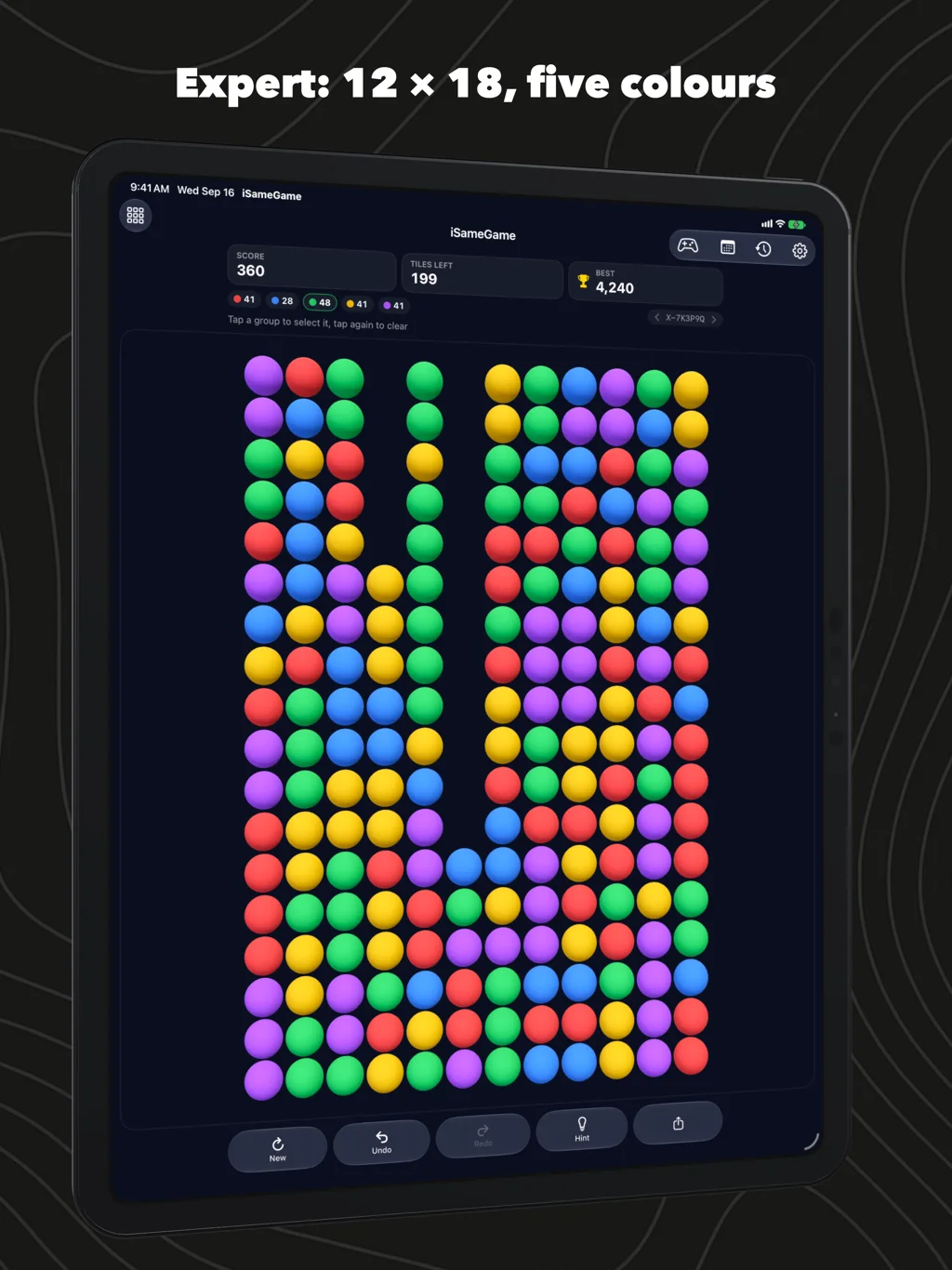
| Expert | 12 × 18 | 5 |
The board is the same on every device; on a phone the Expert board is small and you pinch to zoom. Undo and redo are unlimited, there is a hint when you want one, and every finished game is kept with a replay you can watch move by move. Your bests and your history follow you from iPhone to iPad through iCloud, and come back after a reinstall.
Players press New until a board leans their way. Every board dealt is remembered, so the chevrons beside the code, or a swipe across the score row, step back to the one you skipped.
Your look
The spheres are matte by default, with a soft light; glossy and flat are a setting away. For colour-blind players there is a high-contrast palette (the Okabe–Ito colours) and, on top of it if you want, a symbol on every sphere so each colour has its own shape as well. The selection can be drawn as an outline around the group, as a wire cage around each sphere, or as a glow. The app is in English, Japanese, German, French and Spanish.
Scoring
| Cleared at once | Points |
|---|---|
| 2 | 20 |
| 3 | 60 |
| 5 | 200 |
| 10 | 900 |
| 20 | 3,800 |
Clearing the whole board adds 2,000. One sphere left adds 1,600, two 1,300, three 1,000, four 500, five 300. This is the scoring iSameGame has used since 2008.
On the iPad
Since 2008
iSameGame first shipped in October 2008, a few months after the App Store opened, and a generation of iPhones played it. This version is a new app on the same idea: the scoring is the one it always had, the boards are still guaranteed clearable the way they were in 2008, and the tiles are now spheres you can tilt.
Questions
Is every board really clearable? Yes. The app builds each board by putting groups onto it in reverse, so there is always an order that takes everything off. You do not have to find that order to get a good score, and clearing it all is not always the highest score.
Can I play the same board as a friend? Yes. Share the board from the game, or type its code into Play a board. Same code, same board, on any iPhone or iPad, and at samegame.app.
Is the board really the same on the web? Yes. The web game runs the same generator, and the two are checked against each other board for board, down to the order the hint suggests.
Does it need an account? No. Game Center is optional, for the leaderboards and the daily challenges; the game itself works without it.
Where are my old high scores? The scores from the 2008 app lived on that phone and are not carried over. The scoring is the same, so a personal best is comparable.
Does it run on a Mac? In the browser, yes: samegame.app plays the same boards. The app is for iPhone and iPad, iOS 26 or later.