WorkoutGPX 1.6: share with a swipe, keep your front door out of it
WorkoutGPX started because a coworker asked me to share a walk. That is still what most people use it for: get a route out of Apple Health and hand it to someone, or to some other app. Version 1.6 is about that moment. Sharing one workout is now a swipe, and the file you share no longer has to show where you live.
A swipe to share
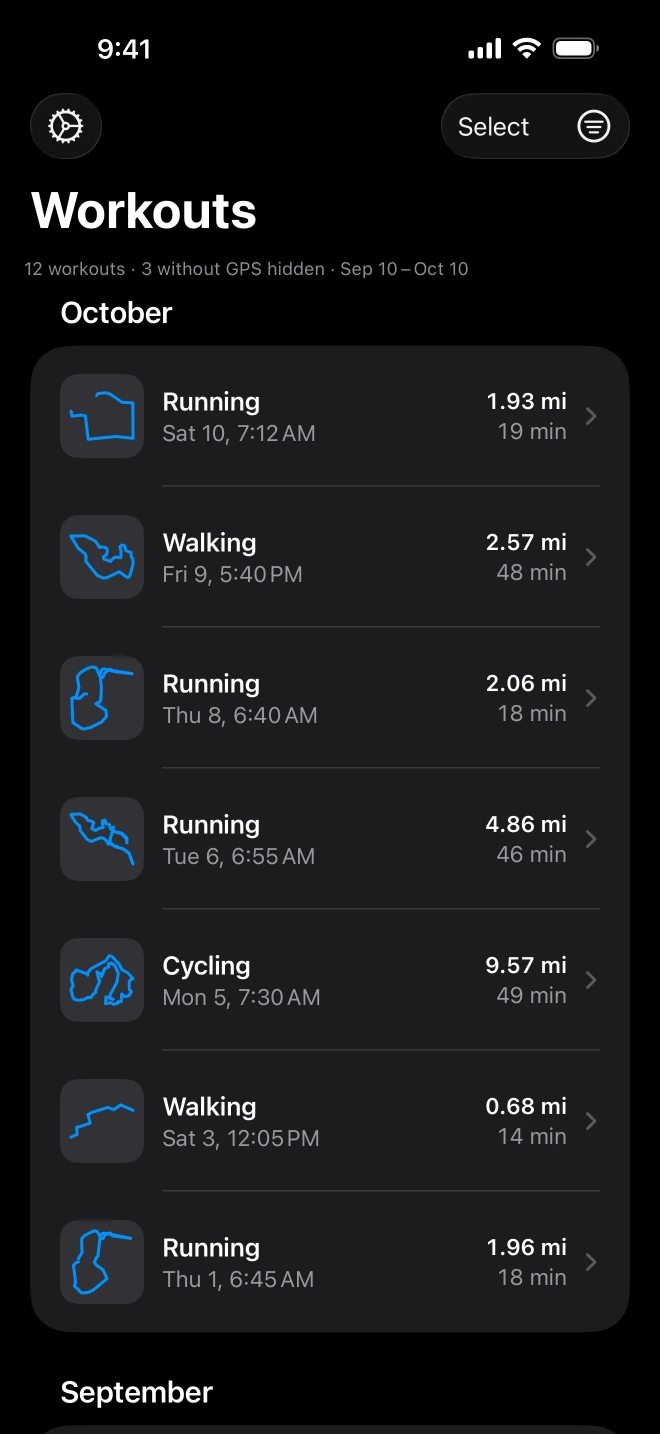
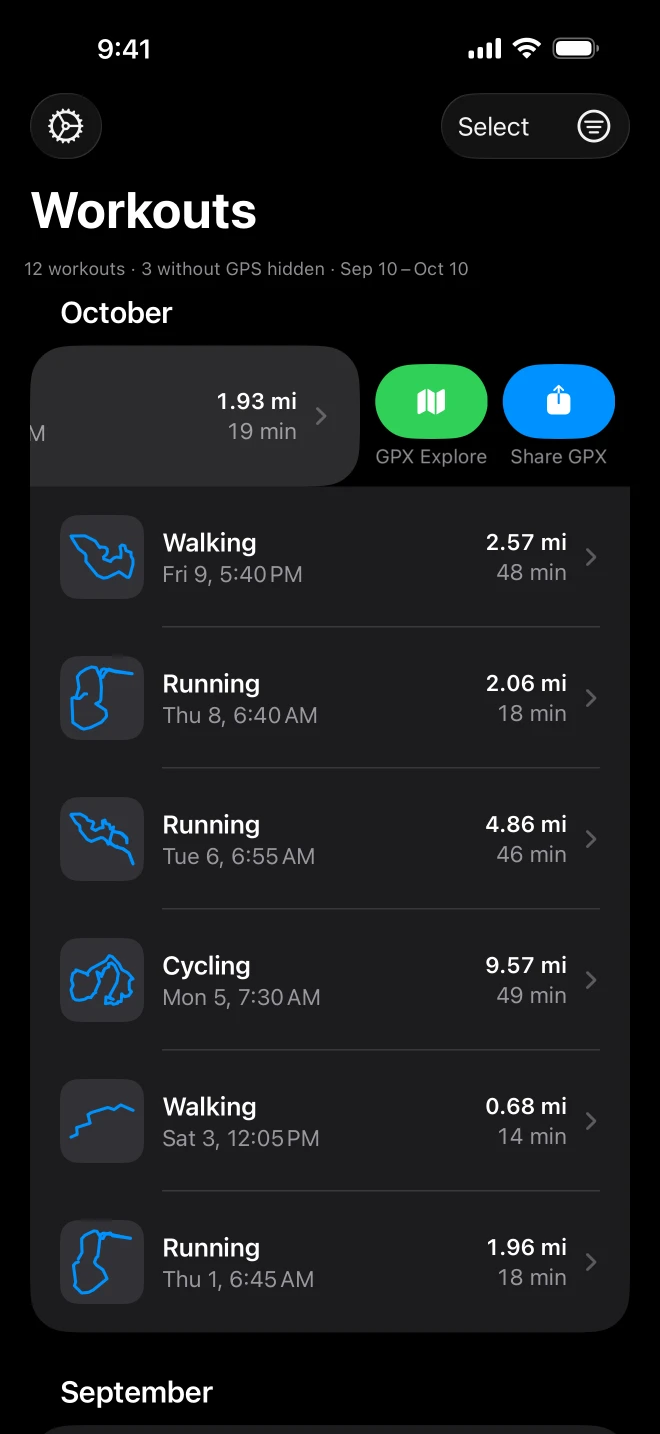
Until now, sharing one workout meant opening it and tapping share. Now you swipe the workout in the list and tap Share GPX, or touch and hold it for the same thing in a menu. The second button, GPX Explore, sends it to GPX Explore to look at. Either way the file is built exactly as Settings says: your units, sensor data on or off, and the hidden start and end below.
The list itself got a redesign while I was in there. It is called Workouts, grouped by month, and every row leads with the shape of its route, then the distance and the duration rounded to the minute. You recognize your own routes by their shape long before you read a date: the reservoir loop, the long ride, the walk to the shops. Workouts without a route, when you choose to show them, are gray and slimmer, so they stay out of the way.
Leave your front door out of it
Most runs and walks start at a front door and end at the same one. A GPX file of one draws a neat line to it for anyone you send it to, and for anyone they forward it to.
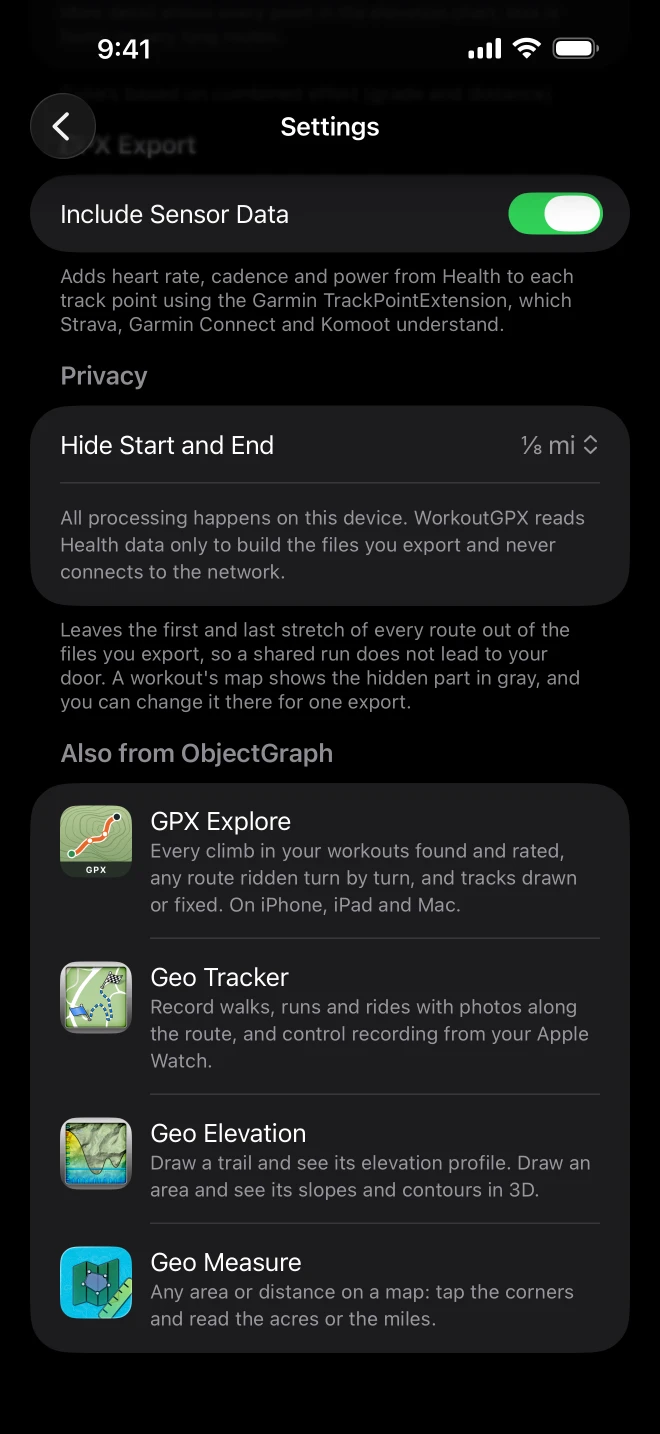
Hide Start and End, in Settings under Privacy, leaves the first and last stretch of every route out of the files you export: 200 m, 500 m or 1 km, or ⅛, ¼ or ½ mile if you think in miles. I chose to drop those points rather than move them. Moving points would make up a route you never ran; dropping them means everything left in the file is exactly where you were, just starting a little later and ending a little sooner.
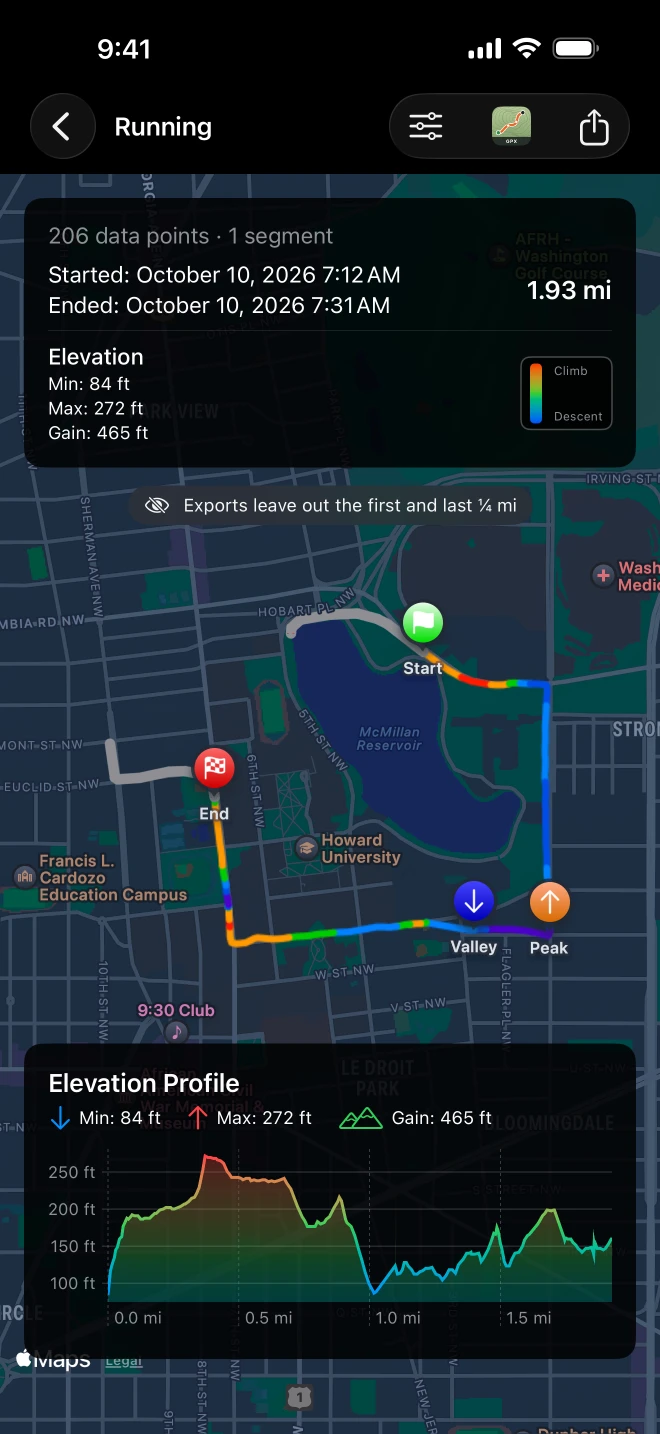
You can see what will be left out before you share. On a workout’s map the hidden stretches are drawn in gray, with a note saying how much the export leaves out, and the view menu there changes it for that one export, if this time you do want the whole thing. The setting applies to every way a file leaves the app: one workout, a selection of many, a swipe, a shortcut.
Shortcuts
WorkoutGPX now has two actions in the Shortcuts app. Export Latest Workout makes the GPX of your most recent workout with a route, of any type or the one you choose. Export Workouts makes one for every workout between two dates, both days included, again for one type or all of them. The files go on to whatever comes next in your shortcut, with the same settings as everything else.
One honest limit. Apple Health keeps its data locked while your iPhone is locked, so a shortcut that runs then cannot read your workouts. Rather than hand you an empty result, WorkoutGPX says so: unlock the phone and run it again.
Your files, kept
Every export is now also kept in the Files app, under On My iPhone (or On My iPad) in a WorkoutGPX folder. If you shared a ride to a friend last month and want it again for Strava today, it is there.
And
- Filters are remembered between launches, and the filter button is filled while one is on, so you can tell at a glance that the list is narrowed.
- A date range now includes its last day. “September 1 to September 30” used to stop short of the 30th.
- Miles in the US and the UK, kilometers everywhere else, until you flip the switch in Settings.
- The route viewer is much faster on long workouts: the peak and valley markers and the line on the map both draw quickly now. Elevation gain is Apple’s own figure when the workout has one.
- Each workout has a GPX Explore button that takes it straight there.
- Settings has a short list of our other map apps, GPX Explore, Geo Tracker, Geo Elevation and Geo Measure, each opening its App Store page inside the app.
- Settings has a Help section whose WorkoutGPX Guide opens the app’s guide on docs.objectgraph.com.
- A new icon: a route drawn as a heart on a sky-blue topographic map, under a GPX band.
WorkoutGPX is free, for iPhone and iPad with iOS 18.2 or later, in English, German, French, Spanish and Japanese. It still has no servers, no account and no analytics: your workouts leave the phone only as the files you choose to share, and now without your front door in them. The WorkoutGPX page has the rest, and answers to the questions people ask most.