WorkoutGPX 1.5: export many workouts at once
Since 1.4 made the filters stay put between exports, the requests that came in were mostly one request: I have a two-week trip in Health, let me get it out without tapping through fourteen share sheets. Version 1.5 does that.
How it works
Tap Select in the workout list. Every row gets a checkbox; tick the ones you want, or tap Select All to take everything under the current filter, so “Hiking, last September” becomes one tap. The button at the bottom says how many you have. Tap it and the app fetches each workout’s route and sensor data in turn, with a progress card you can cancel, and then opens a single share sheet with one GPX file per workout. From there it is Save to Files, AirDrop, Mail, or whatever app you send tracks to.
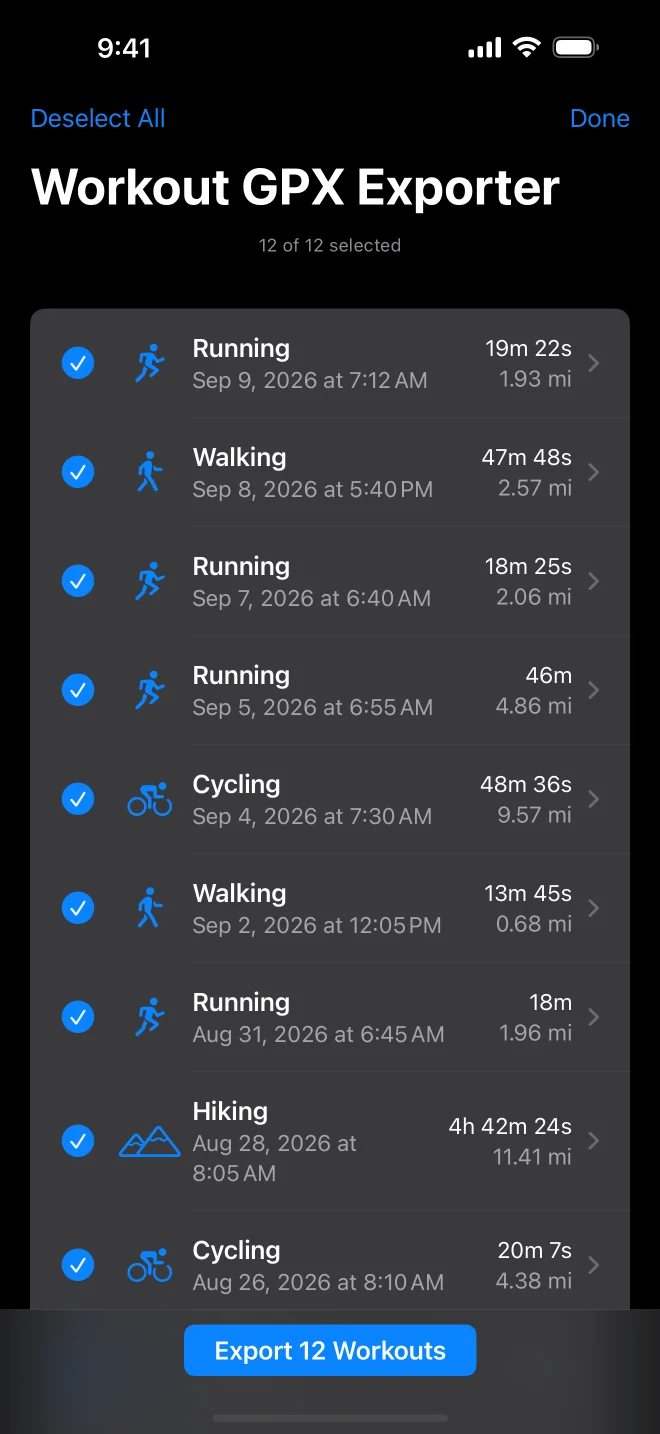
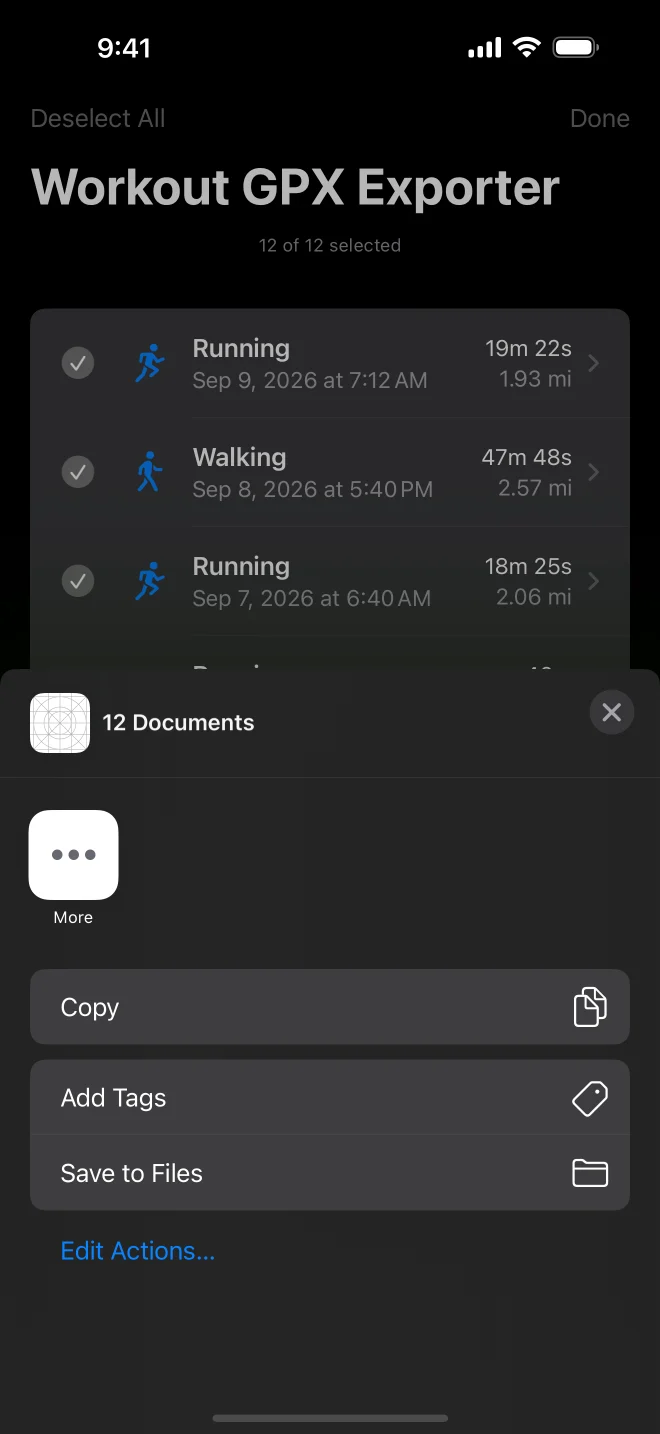
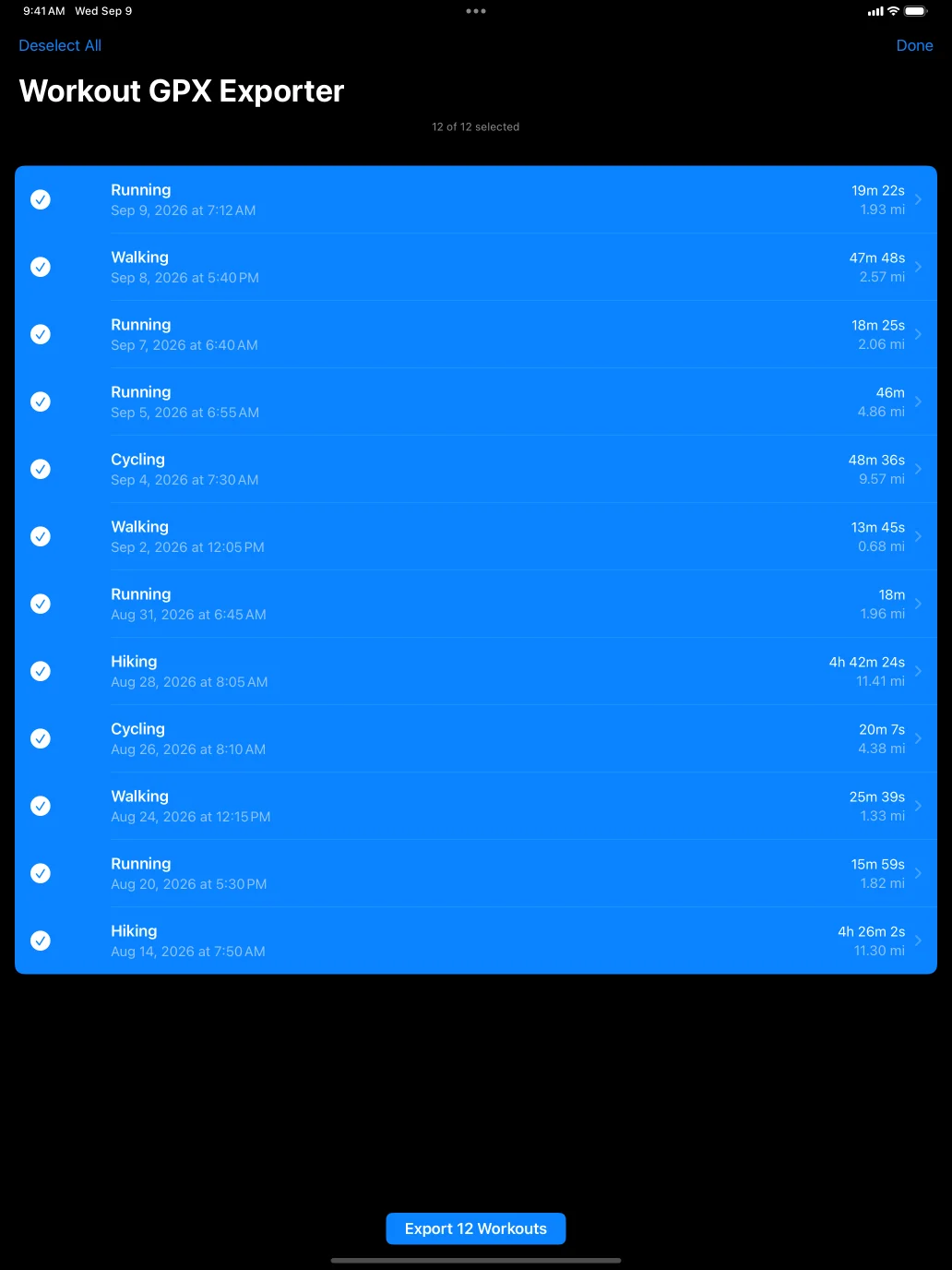
Two details I cared about. Workouts without GPS, an indoor ride, a strength session, cannot become a track, so they are skipped, and the app tells you which ones and why before the share sheet opens, rather than quietly handing you fewer files than you picked. And the files are files, not a zip: Strava, Garmin Connect and Komoot all want a GPX each, and Files and AirDrop take a batch without complaint. If people ask for a zip I will add it as an option.
Each file is the same GPX the single export writes: timestamp, coordinates and elevation per point, plus heart rate, cadence, power, speed and course in the Garmin extensions when the workout has them. Nothing goes to a server. The app has no network access at all.
Small print
WorkoutGPX 1.5 is on the App Store for iPhone and iPad, iOS 18.2 or later, as a free update. The app is open source under MIT, and the multi-select code is in the same repository as everything else.