TypingKit for Mac: two milliseconds from key to letter
TypingKit is typing practice on writing worth reading. You type passages from novels, speeches and poems again and again, race the ghost of your best run, and type whole public-domain books chapter by chapter with your place kept to the letter. This month it got a Mac app, and the reason is one number.
The letters were a step behind
Typing on typingkit.com after this month’s rebuild, I had a feeling I couldn’t shake: the letters landed a moment after my fingers. Not by much, but enough to feel. The site does very little work per key, so I suspected the browser itself, and measured it.
The code that handles a key on the site takes about 2 milliseconds. The letter still appeared 32 to 48 milliseconds after the key went down. The rest of that time belongs to the browser. A web page does not draw when your key arrives: the browser notes the change, paints it at its next animation frame, and the compositor puts that frame on the screen at the refresh after. On a 60 Hz display that is one to two frames, 16 to 33 ms, and no page can skip it. Drawing on a canvas instead waits for the same frame.
A native Mac text view works differently. It draws the letter inside the key press, and macOS shows it at the very next refresh. Before writing an app around that, I built a bare typing window to test it and typed 500 keys of A Tale of Two Cities into it at 75 words per minute on my own keyboard.
| TypingKit for Mac | typingkit.com in Chromium | |
|---|---|---|
| Key to drawn, median | 2.4 ms | 32 to 48 ms |
| 95th percentile | 4.1 ms | 40 to 56 ms |
| The app’s own work per key | 0.5 ms | 2 ms |
At 75 words per minute a key comes every 160 ms, so 40 ms is a quarter of the gap between two keys. That is the letter trailing your finger instead of keeping up with it. Plenty of people never notice, and the website works just as well for them. For the ones who do, there is now a Mac app. The whole measurement, and where every millisecond goes, is on typingkit.com/mac/latency.
Whole books, in sittings
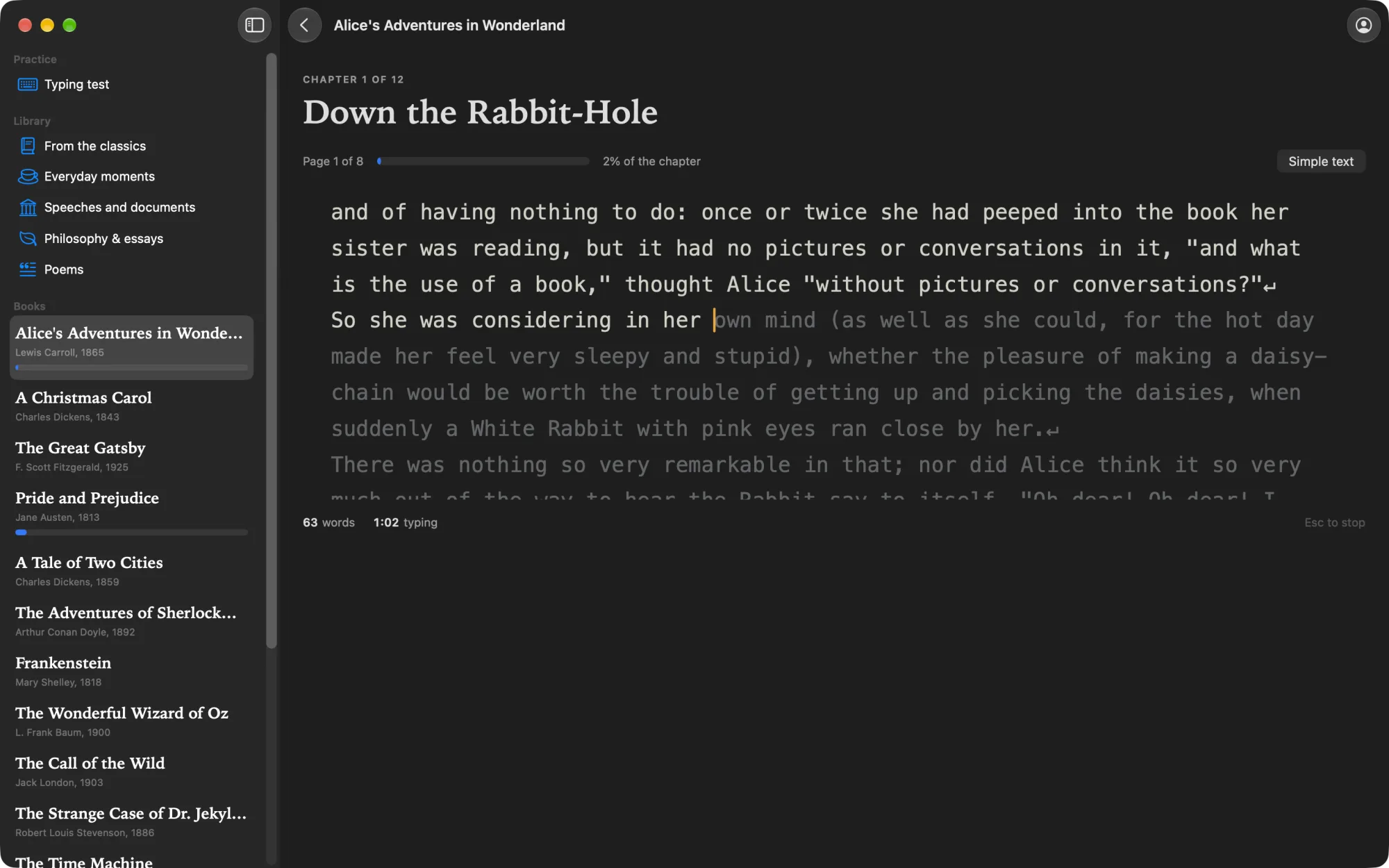
The app puts a whole chapter in one native text view and changes one or two letters per key, so macOS only lays out the line you are on. Around that typing area is the rest of TypingKit, with the same rules as the site down to the code.
The shelf has the same seventeen novels as the site, from Project Gutenberg: Pride and Prejudice, Moby-Dick, Alice, Sherlock Holmes, The Great Gatsby and twelve more. The clock only runs while your fingers move, so you can stop to read ahead, think, or answer the door. Your place is kept to the letter, which turns a sixty-chapter novel into something you do over a few weeks of short sittings.
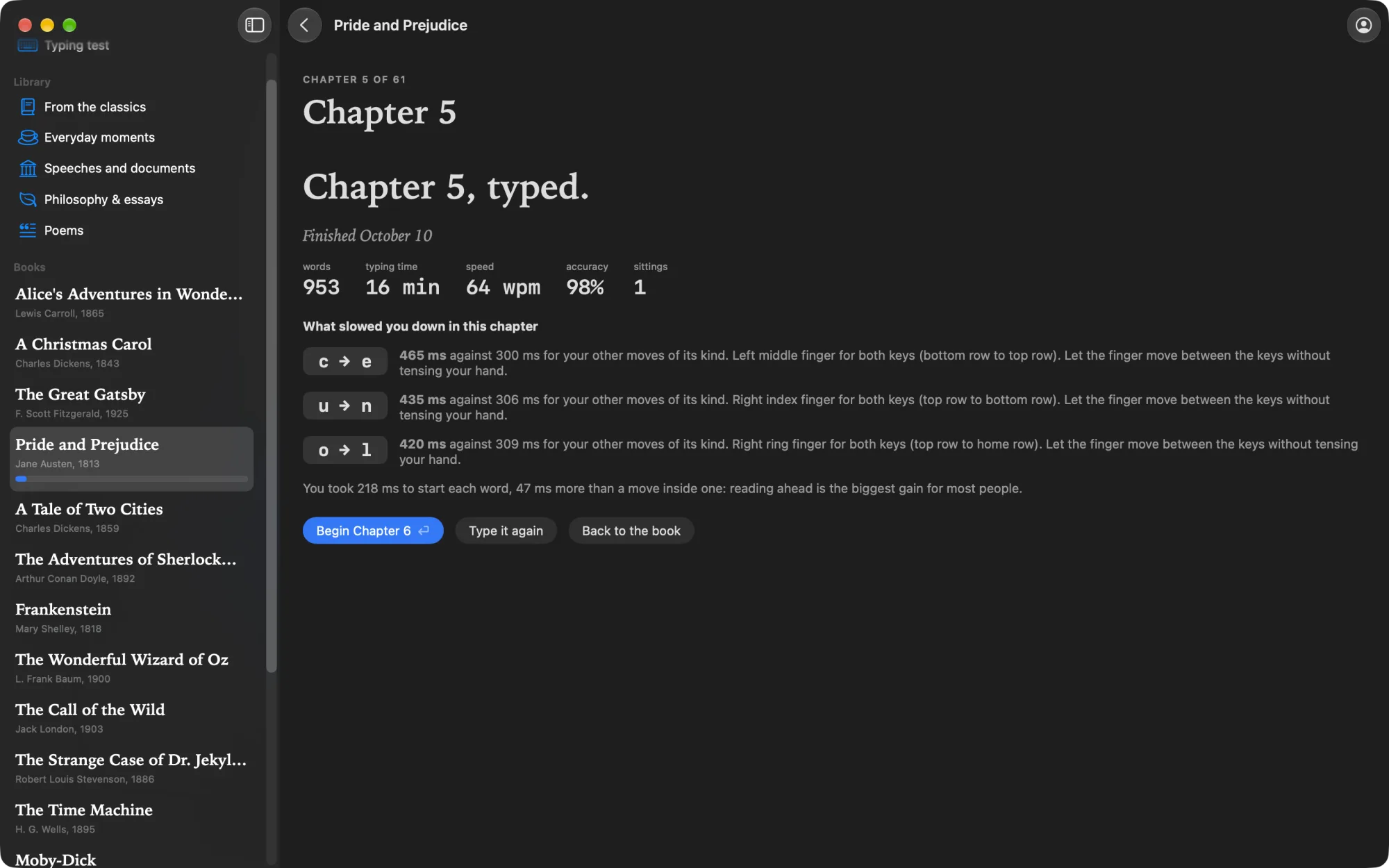
Every chapter ends with a review: words, typing time, speed, accuracy, and the moves between keys that slowed you down. Those moves are measured against your own other moves of the same kind, so “c to e took 465 ms” comes with “against 300 ms for your other moves like it,” which tells you something a raw number doesn’t.
Passages and the ghost
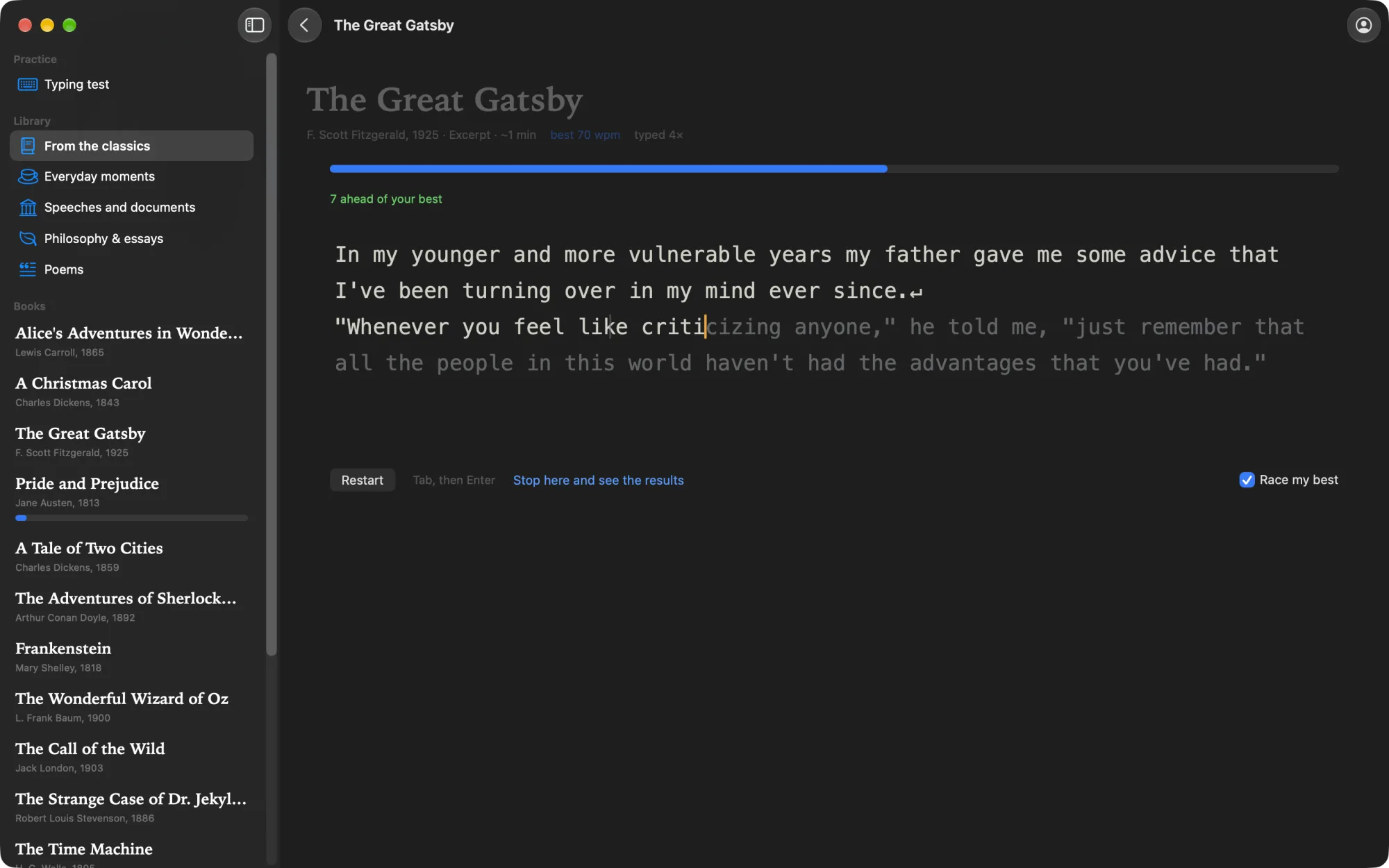
The library is famous openings, everyday moments, speeches, philosophy and poems, each short enough to type again and again. Race the ghost of your best run and the line above the text says how far ahead or behind you are. Any of your recent runs can be watched again, key by key, at the speed you typed it.
A typing test
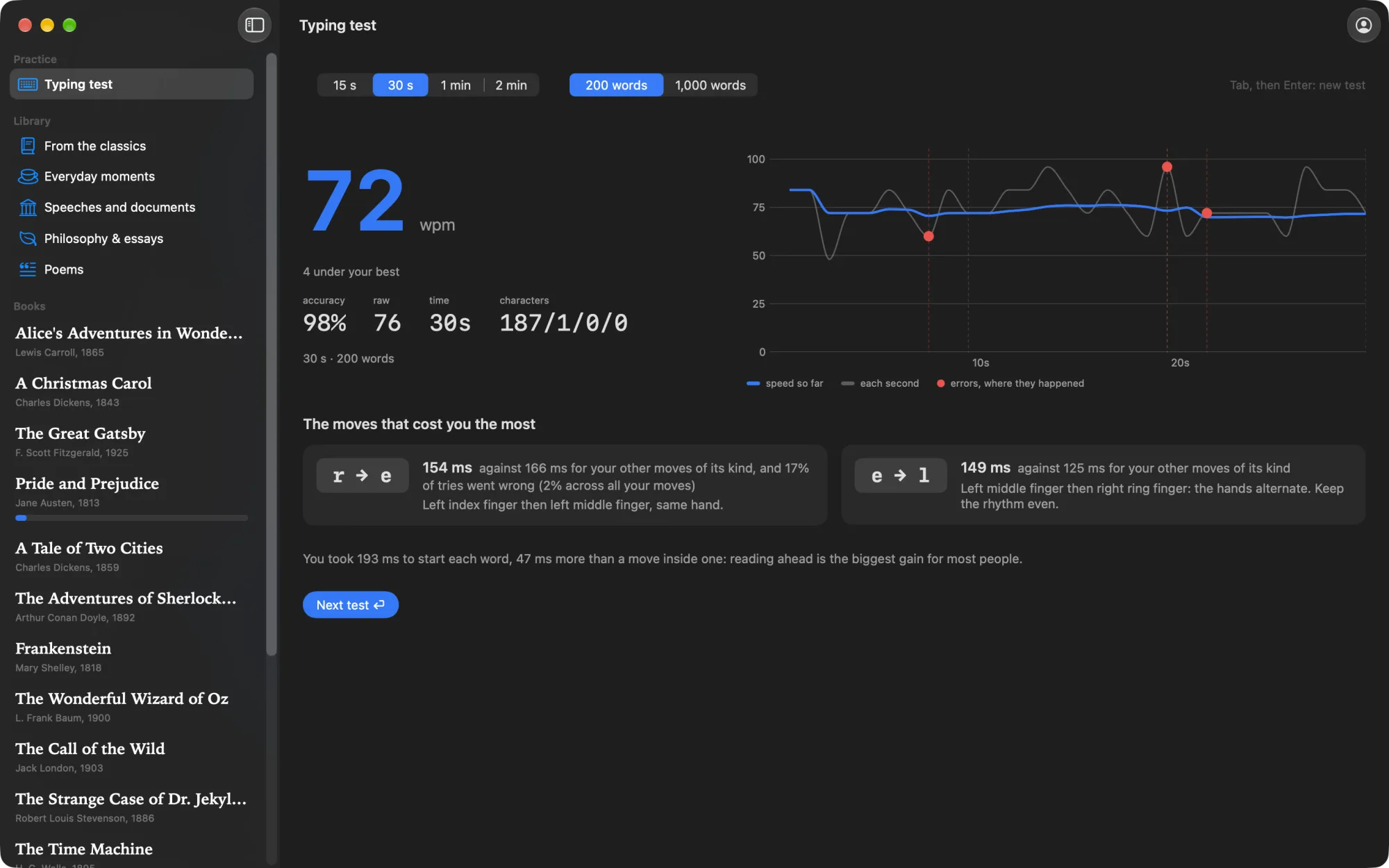
15 seconds to 2 minutes, on the 200 or the 1,000 most common English words, scored the way typing sites score it: speed counts only words typed right, and accuracy counts every key, a fixed mistake included. The result draws your speed second by second, marks where the mistakes happened, and names the moves that cost you the most time.
Your own books
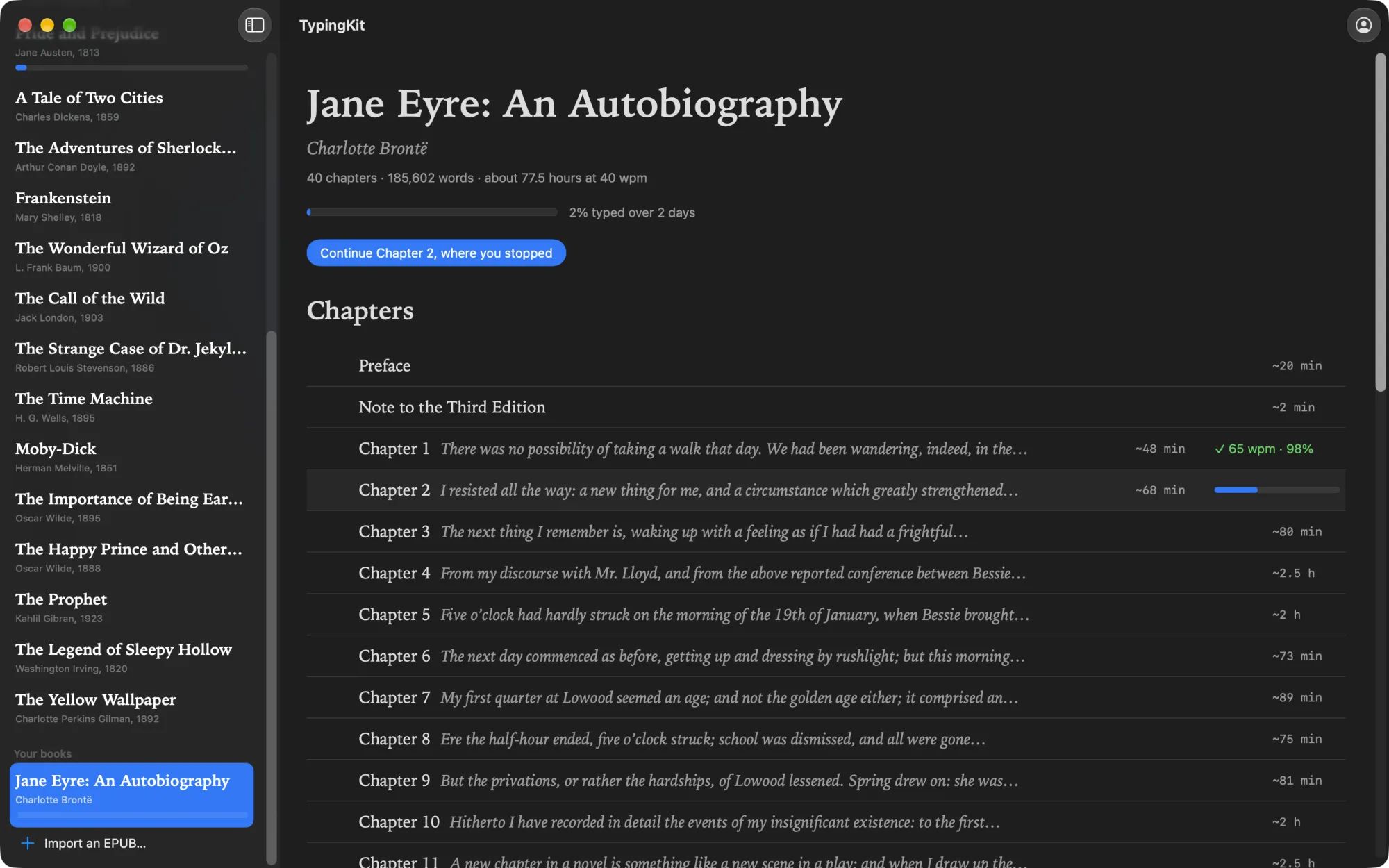
This one is only in the Mac app for now. Import any EPUB without DRM, or drop it on the window, and type it the same way: chapter by chapter, place kept, a review for every chapter. The book’s text stays on your Mac. If you sign in, only your place in it travels with your account.
One account, both places
Sign in with Apple, Google or GitHub and the Mac app and typingkit.com share your place in every book, your runs and your typing profile. Start a chapter at the desk and finish it in a browser somewhere else. Everything works without signing in; the account is only there to carry your place between devices.
See your own number
Numbers like these depend on the keyboard, the display and the Mac, so you don’t have to take mine. In the app, open Settings › Readout and turn on Show the time from each key to the screen. While you type, a line under the text shows the last key’s time from key to drawn, the median and the 95th percentile.
TypingKit for Mac is free, with no ads, for macOS 14.6 or later. The site is staying exactly as it is, and the drills and your own texts are still there; the Mac app is for when you want a window of its own on the desk and letters that keep up with you. typingkit.com/mac has the rest.