iSeismometer 1.7.2: the Mac keeps listening
In September, iSeismometer 1.7 turned the Mac into a receiver: every iPhone and iPad in the house streams to it, side by side, recorded and analyzed. It worked as long as the window was open. Close the window and the receiver went with it. A seismic station that stops when you tidy your desktop is not a station.
Version 1.7.2 starts from one question: if the phone is the sensor, what is the Mac for? My answer is continuity, memory and alerting. It has to keep running, it has to keep everything, and it has to tell you when something happens.
Close the window, keep recording
The receiver now belongs to the app, not to the window. Close the window and every phone stays connected and recording. A small antenna sits in the menu bar with the number of devices streaming beside it. Its menu says how many are connected, which device felt the last event and when, and brings the window back.
While any device streams, the Mac stays out of idle sleep, and when the last one leaves it goes back to its own schedule. A closed MacBook lid still sleeps; no app should overrule that. Turn on Open at Login in Settings, and after a restart the Mac is listening again. The phones reconnect on their own, as they have since 1.7.
Told when a phone shakes
When a phone’s detector opens an event, the Mac posts a notification, “Shaking on Living Room iPhone”, with the time it started. It sends at most one per device every 20 seconds, so an earthquake and its aftershocks don’t bury you, and the Dock badge counts every event while you are away from the window.
The first time I tried it, nothing appeared. The code was fine: macOS had iSeismometer’s notifications switched off, and nothing anywhere said so. The Station settings now show whether notifications are allowed, not allowed or not asked yet, with a button to the right page of System Settings when they are off.
Addresses you can copy
A phone finds the Mac over Bonjour, and plenty of networks block it. Version 1.7.1 added Connect by Address for Cisco and other school and office networks, and I tested it on my university’s Wi-Fi. Then I tried iSeismometer at a WeWork, whose Wi-Fi keeps devices from seeing each other at all. Neither Bonjour nor the Mac’s Wi-Fi address got through. The Tailscale address did.
So the Mac now lists every address it has, with the port: Wi-Fi and Ethernet first, then VPN addresses, marked as such. They are in the window’s header and in a Copy Address menu. Copy one on the Mac, paste it on the phone (Universal Clipboard carries it across), and Connect by Address takes it as it is. The phone’s sheet is a single field now, an address with or without the port, with a line underneath showing which port it will use.
iPhone Duo
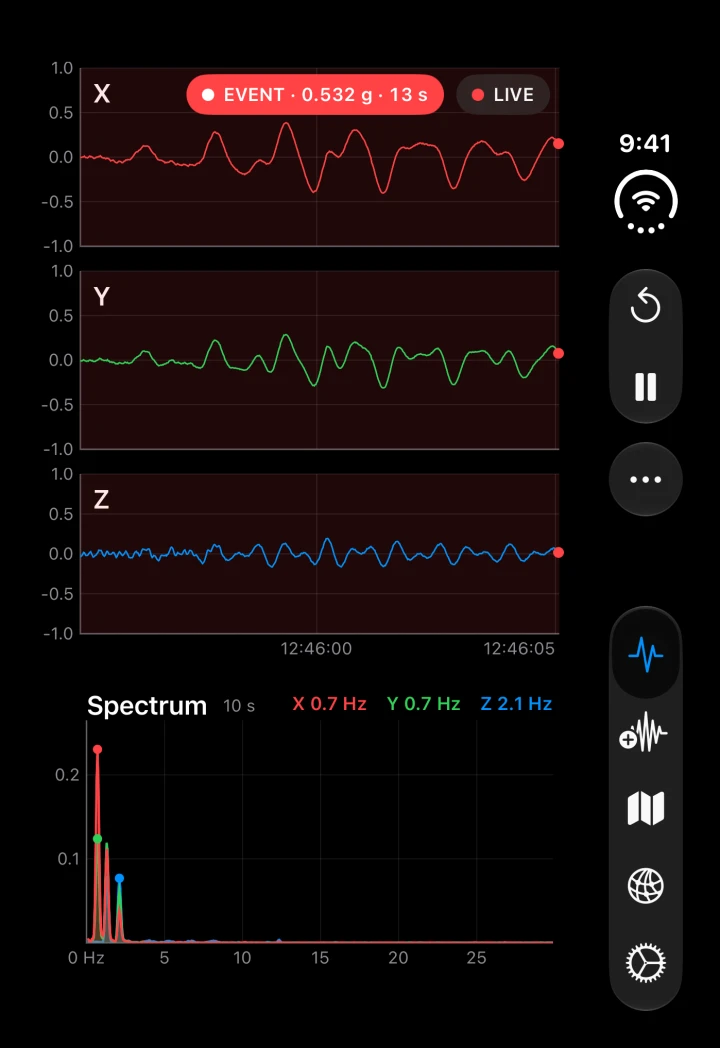
On the closed iPhone Duo, the buttons move into the side strip with the tab bar, which leaves the whole display to the traces and the spectrum, with one time axis under the traces instead of three.
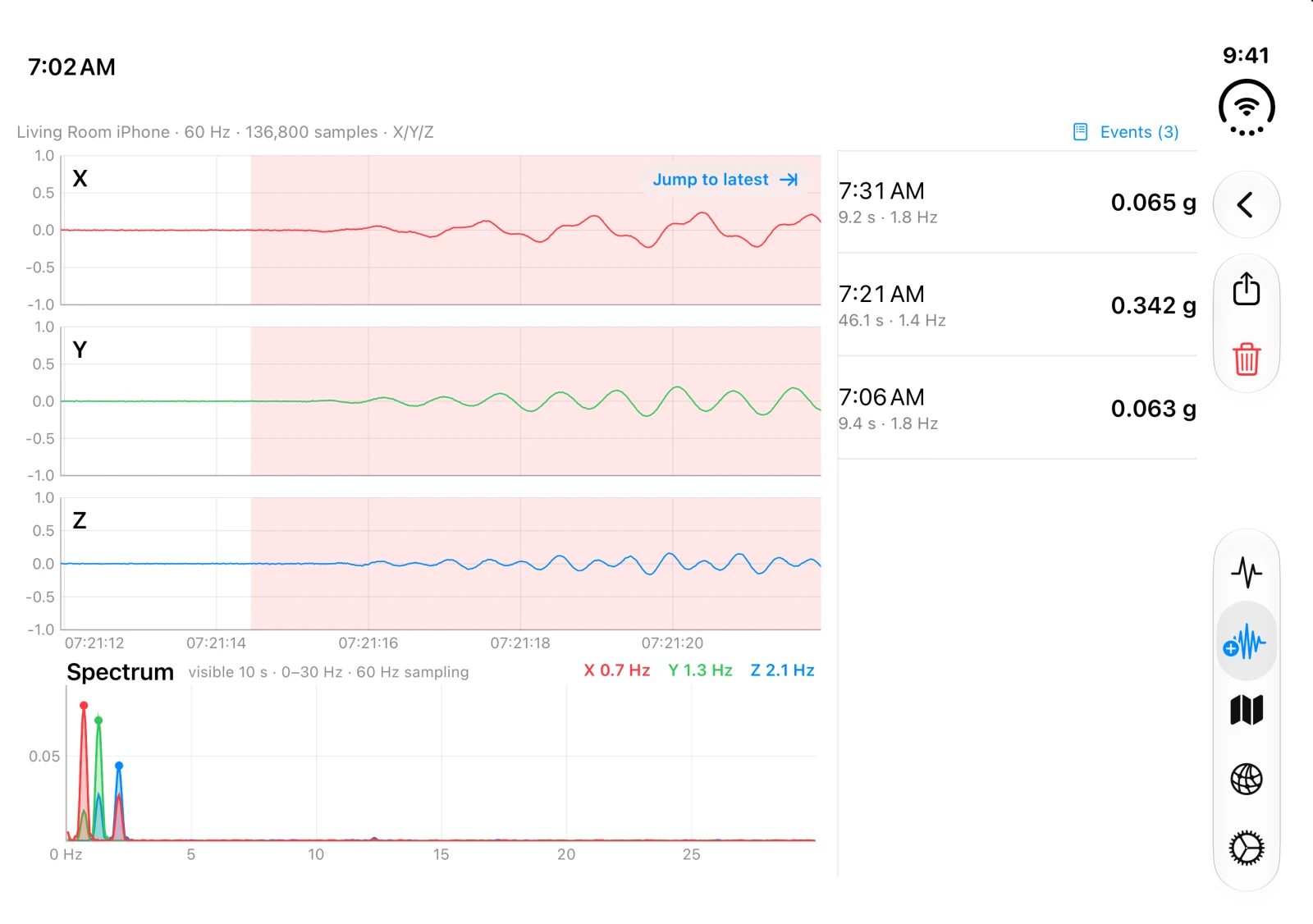
Open it and the live view spreads out: the traces on one page, the events and the spectrum on the other, split at the fold so that folding moves nothing. A recording opens with its list of events beside the traces. Stand it half open on a table and the traces go on the upright half, with the events beside the spectrum on the half lying flat.
Paper
Settings has an Appearance choice now: System, Light, Paper and Dark. Paper is the light look on warm chart paper, the same ground as the new App Store art. On the Mac the settings are tabs, About is back in the app menu, and Help opens the Mac page on seismograph.com in your language.
Get it
iSeismometer 1.7.2 is on the App Store for iPhone, iPad and Mac. Put a phone on the floor, open iSeismometer on the Mac, then close the window. It keeps listening.