How to export Apple Watch workouts as GPX, with heart rate
Every run, ride, hike and walk you record on an Apple Watch is in Apple Health with its GPS route, but Health has no export for a single workout, and its “Export All Health Data” gives you a zip of everything you have ever recorded, in Apple’s own XML. If you want a workout in Strava, Garmin Connect, Komoot, Google Earth, or a folder of your own, you want a GPX file.
The short version
- Install WorkoutGPX on the iPhone (free, no account).
- Allow it to read workouts and routes from Health. It reads; it never writes.
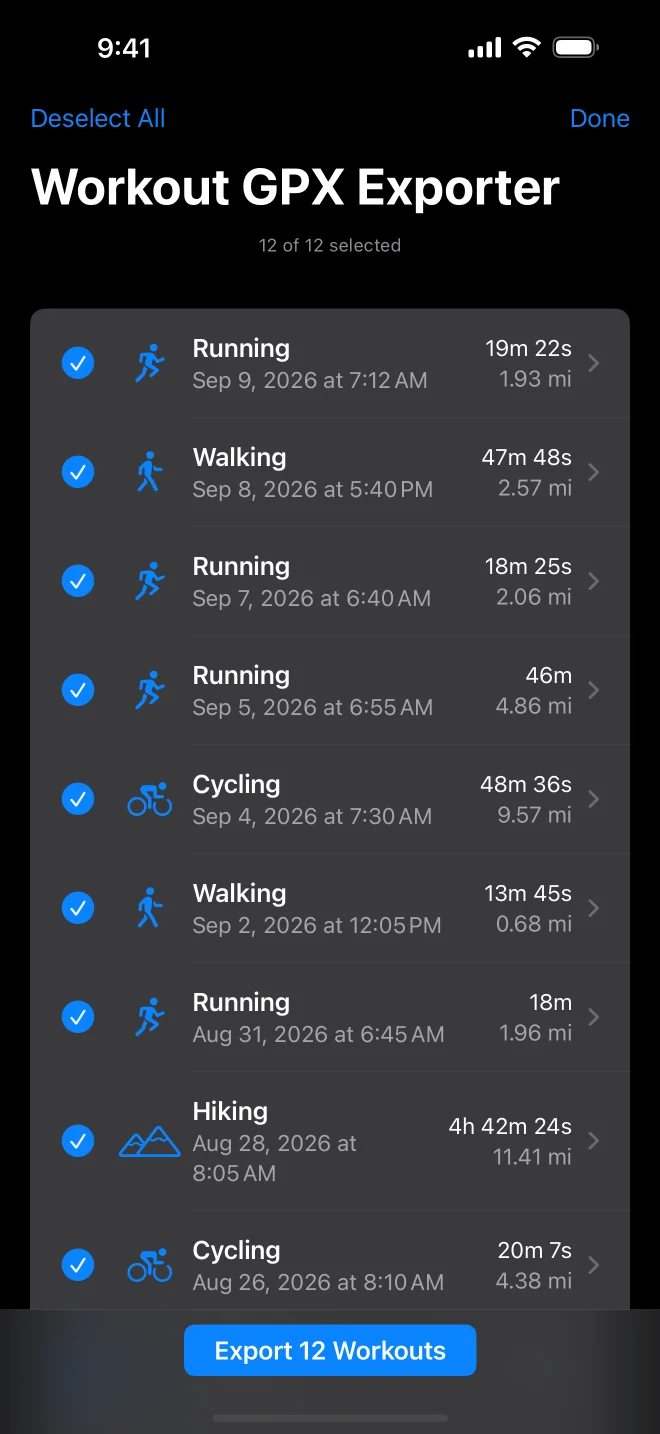
- Pick a workout, or tap Select and pick many, and export. Each becomes a
.gpxfile in the share sheet: save to Files, AirDrop to a Mac, send to another app.
What is in the file
The route as a track with timestamps and elevation, and, when the watch recorded them,
heart rate, running power, cadence and speed on every point, written the way Garmin writes
them (the gpxtpx and gpxpx extensions), so Strava, Garmin Connect and GPX viewers read
the sensors as sensors. The file’s description carries the workout’s own summary from Health:
distance, duration, energy, elevation gain, average heart rate.
Reading it back
Open the file in GPX Explore on the Mac, iPhone or iPad and the heart rate charts under the map, with the climb coloured on the track and the moving time, pace and splits worked out. The two apps are one workflow: Health to GPX, GPX to a map.

Years of history at once
WorkoutGPX lists every workout Health has, back to the first one. Filter by activity and date, select all, export: one share sheet with every file. That is the backup Apple never gave you.