Catalyst
Build the work. Swap the model.
Catalyst is an AI workspace where your chats, agents, workflows, mini apps, and memory are built once — then run on whatever model is best this week: OpenAI, Claude, Gemini, open-source, or your own local models. The model is a dropdown, not a dependency.
Free for personal use with Google sign-in, no credit card. Read more at voov.ai or the docs.
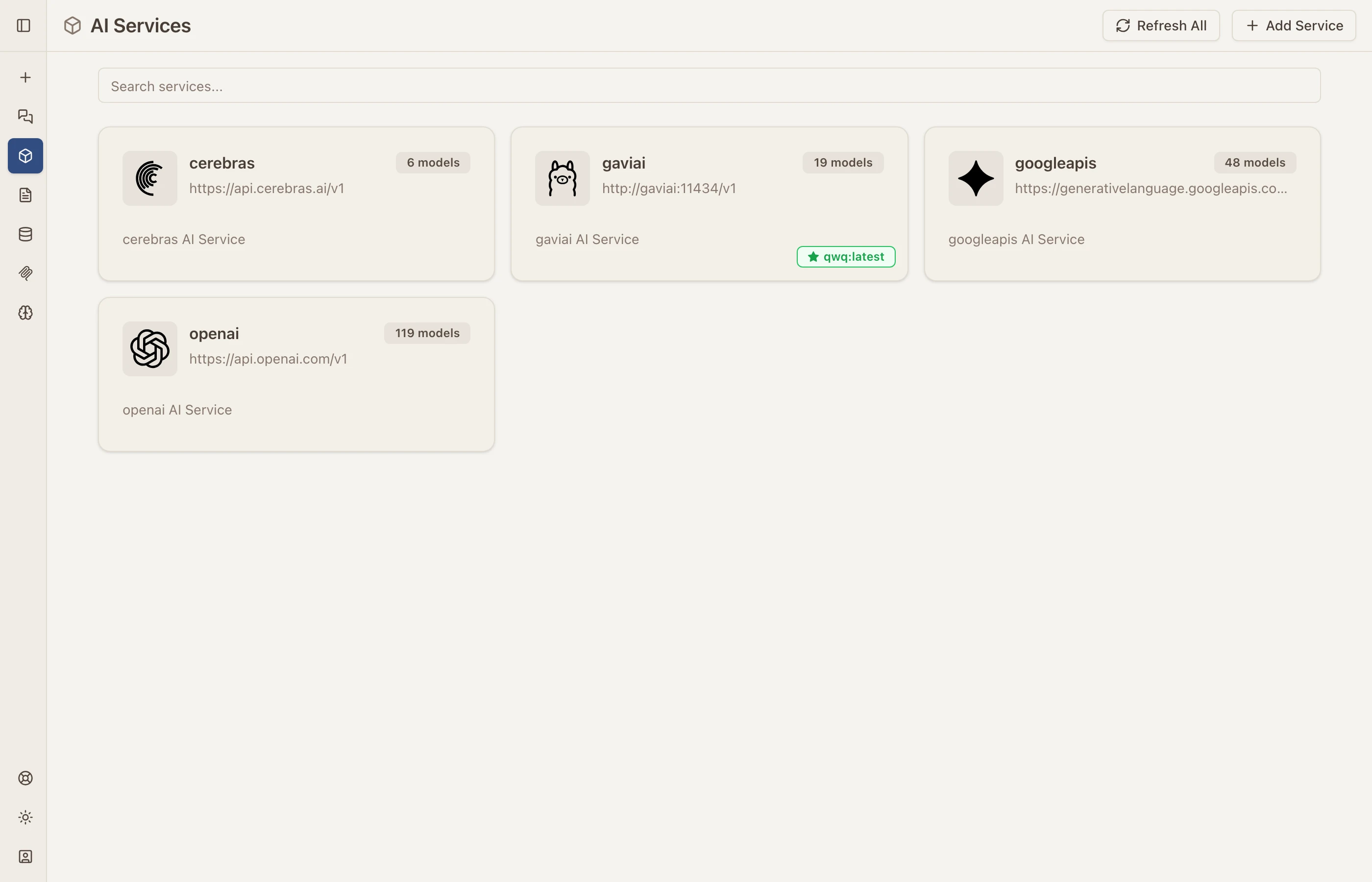
One Workspace, Every Model
Connect 12+ providers through a single interface: OpenAI, Anthropic, Google Gemini, Mistral, DeepSeek, Groq, Together, vLLM, Ollama, and any OpenAI-compatible endpoint. Native adapters for Claude, Gemini, and OpenAI mean each provider’s full capabilities — thinking blocks, vision, tool use — work the way they should.
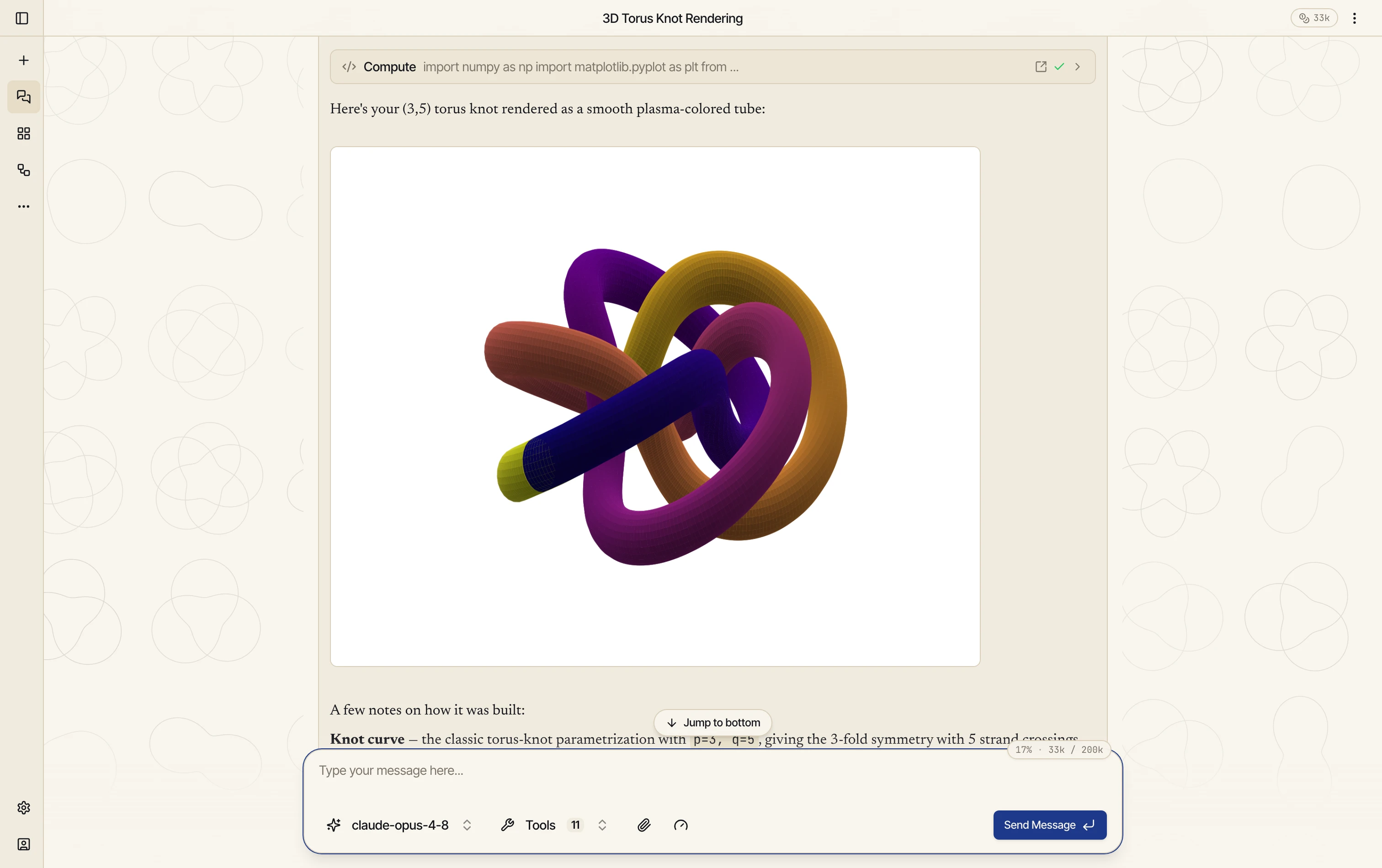
A Chat That Can Do Things
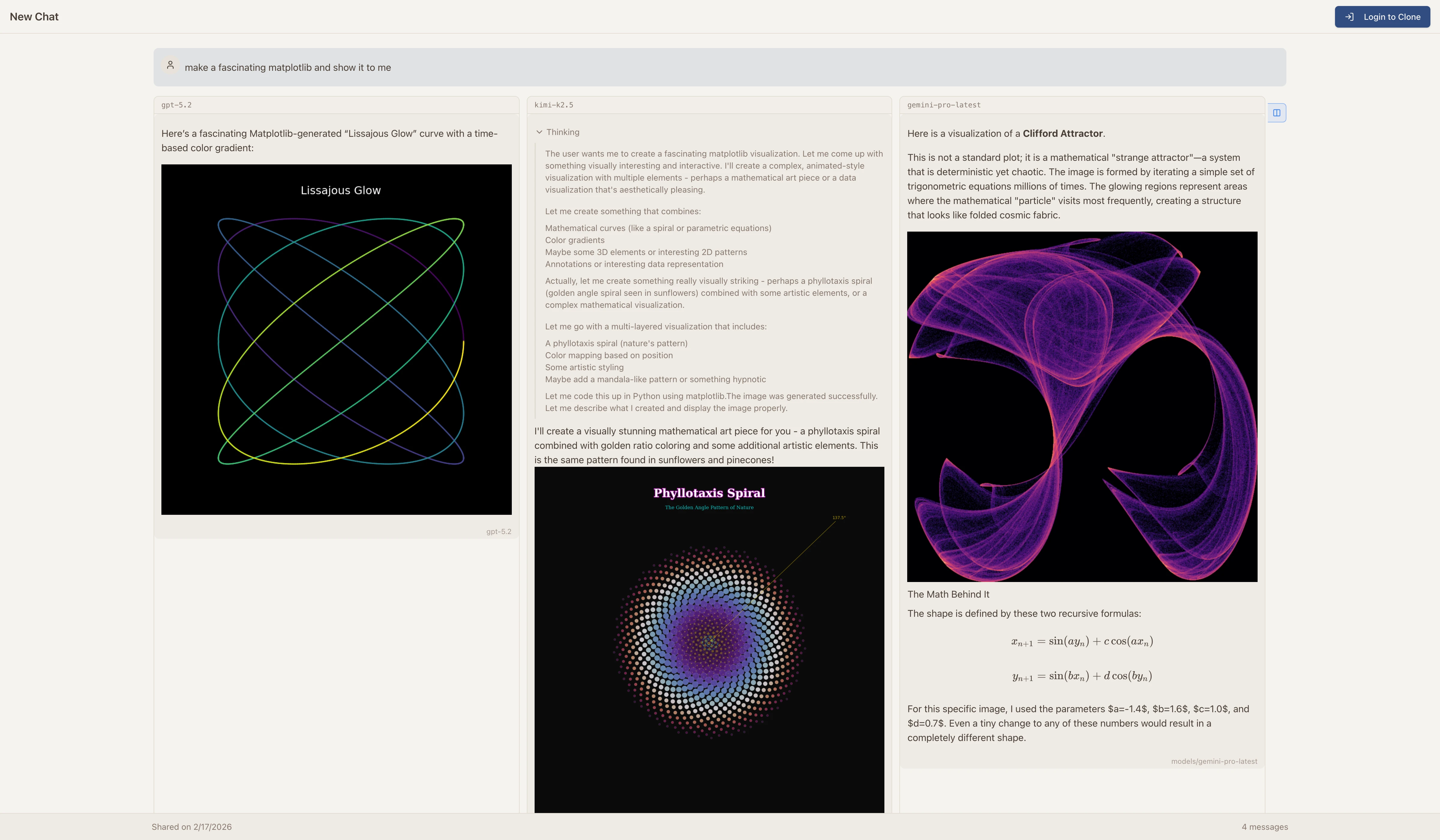
Switch models mid-conversation, dial reasoning effort from none to high, and run the same prompt against multiple models side by side to see which one does the job best. Chats render math, diagrams, and code, read images and PDFs, and can be shared with a read-only link.
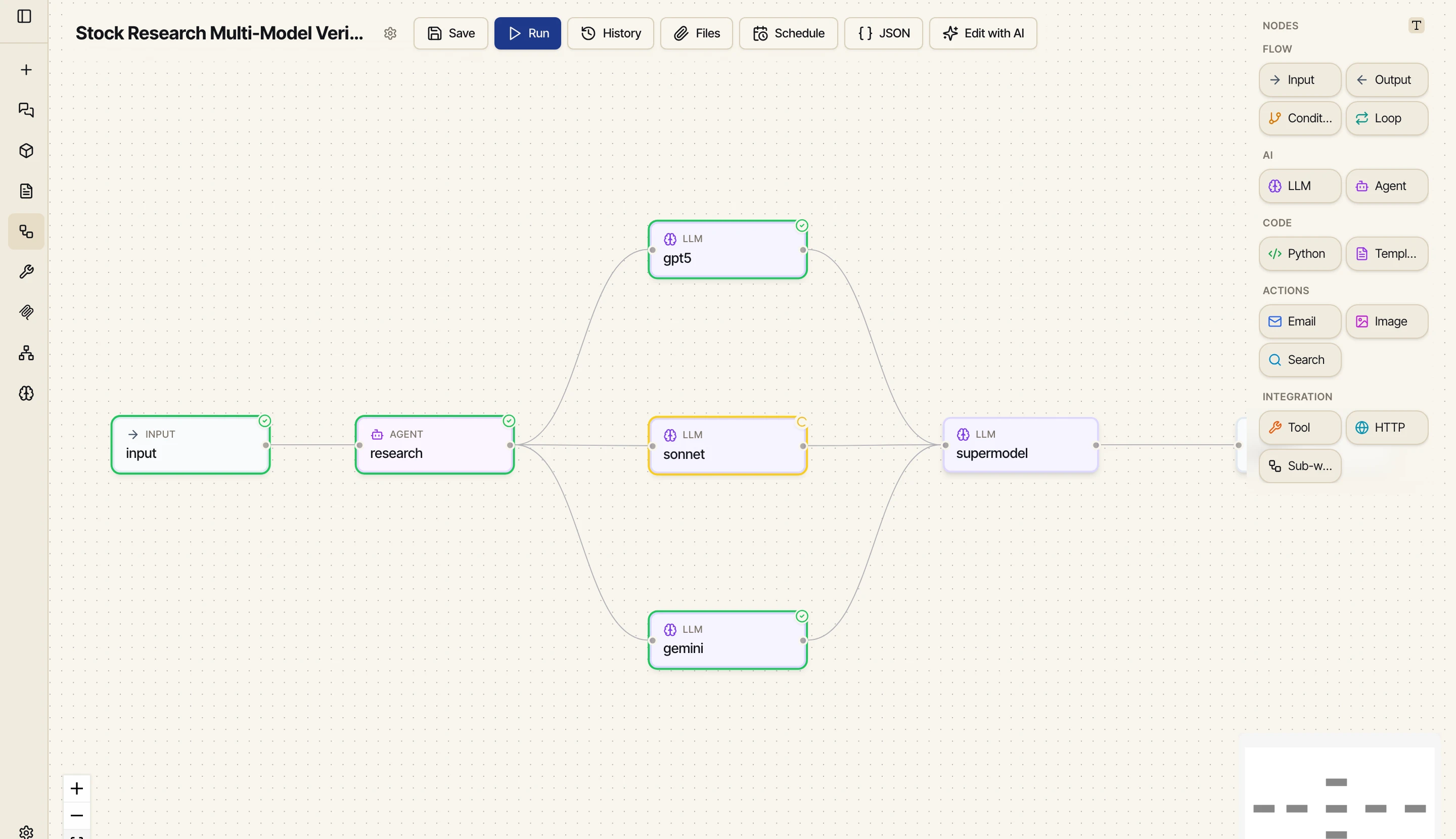
Chats Become Workflows
Figure something out in chat, then say “save this as a workflow” — the path the model discovered becomes a deterministic pipeline you can re-run for a fraction of the cost. The visual editor has ten node types (input, output, LLM, agent, Python, template, tool, condition, loop, HTTP, and sub-workflows), a JSON view, run history, and scheduling with email delivery.
Ask for an App, Get One
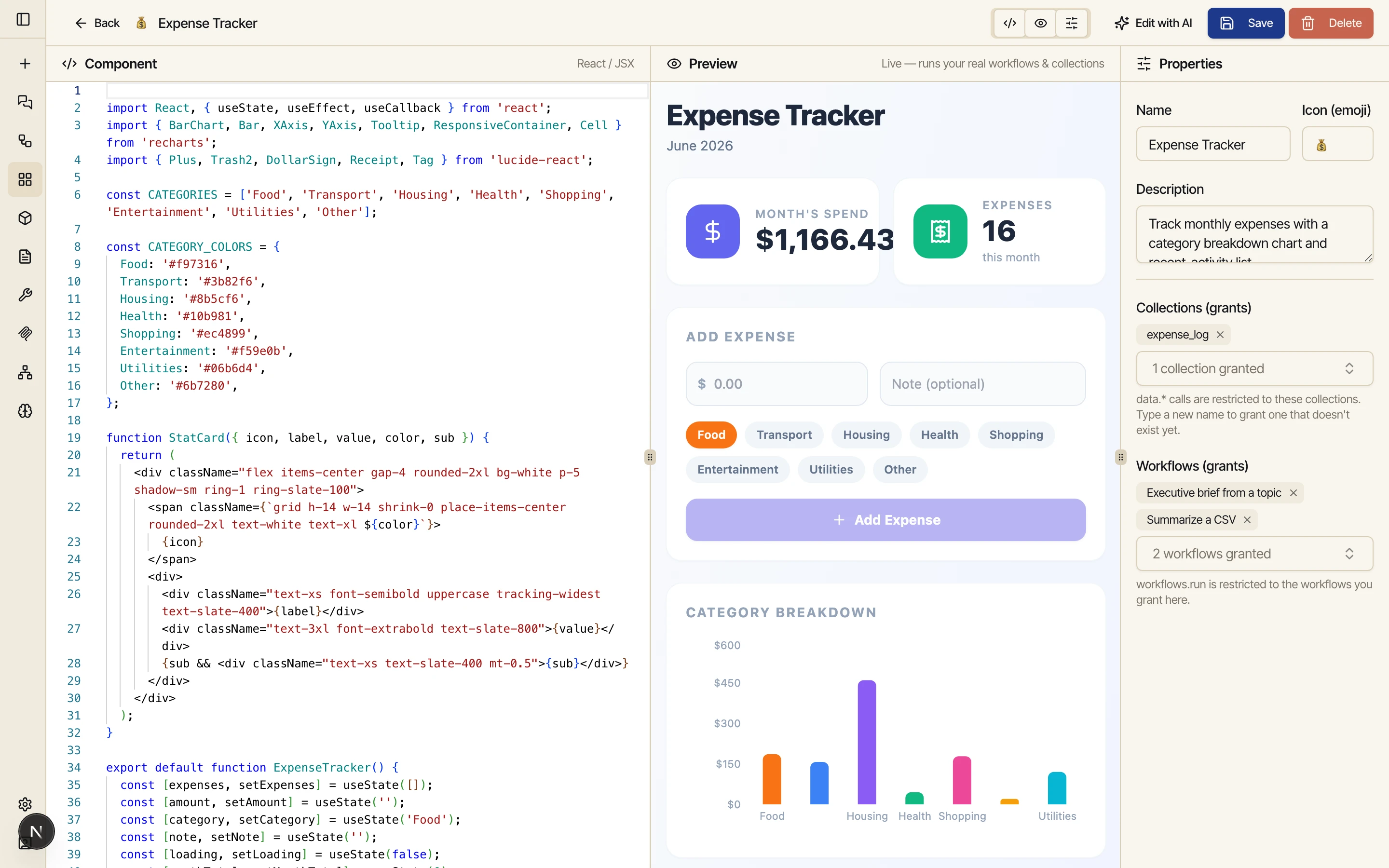
Describe a tool — “an app to log my food and chart it” — and Catalyst builds the workflows, writes the app, and opens it live. Mini apps run in a sealed sandbox with no internet access and only the collections and workflows you explicitly grant. Edit them by talking to the AI, import npm packages, and publish them to a public catalog where others can run or fork them.
Memory That Lasts
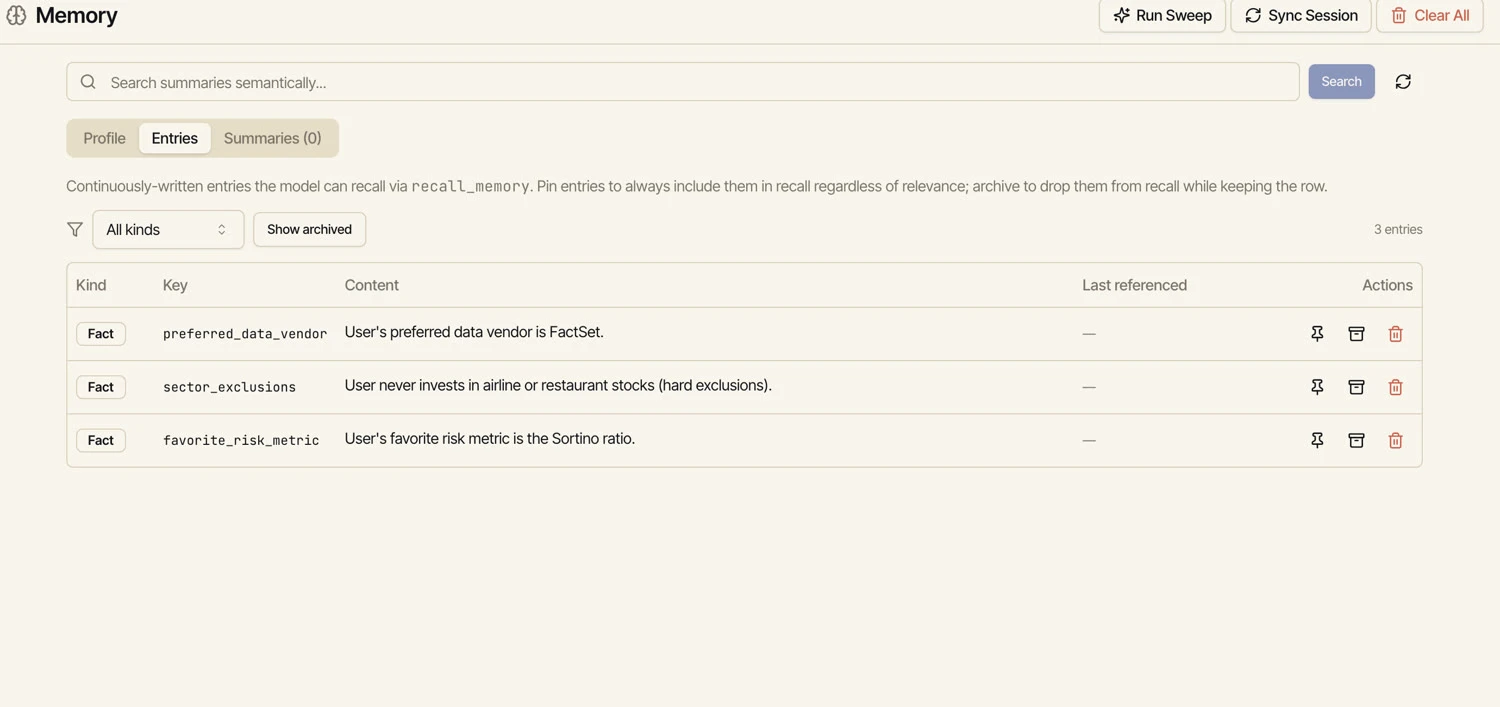
Catalyst remembers on purpose: a compact user profile, atomic facts recalled by meaning, and automatic session summaries. Everything is inspectable — pin what matters, archive what doesn’t. Embeddings are computed locally with LanceDB, so memory never leaves your tenant.
Python Code Execution
Run Python directly in your AI conversations. Generate matplotlib visualizations, process data, and automate tasks — all executed in a sandboxed environment with full library support.
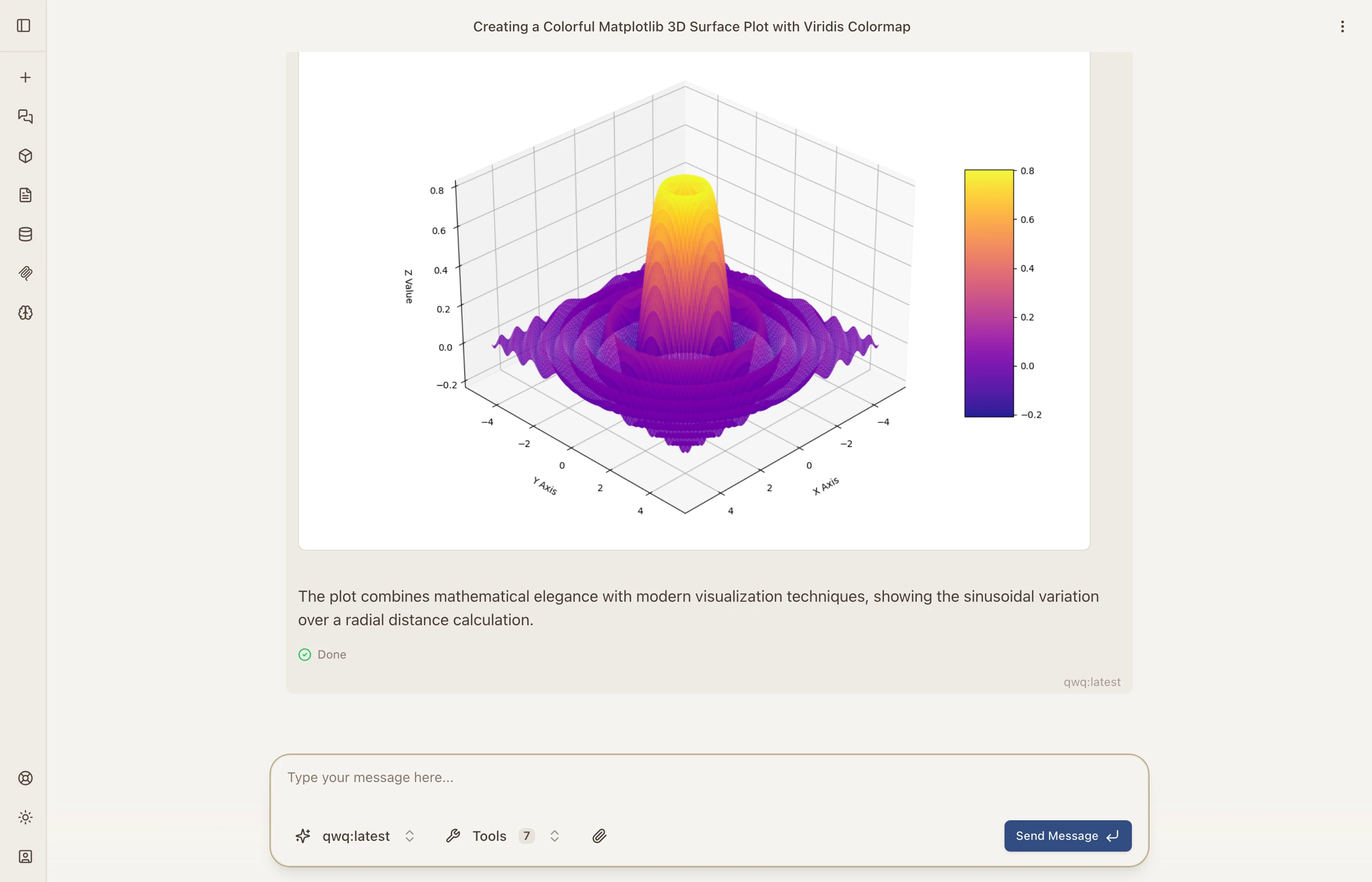
Image Generation & Editing
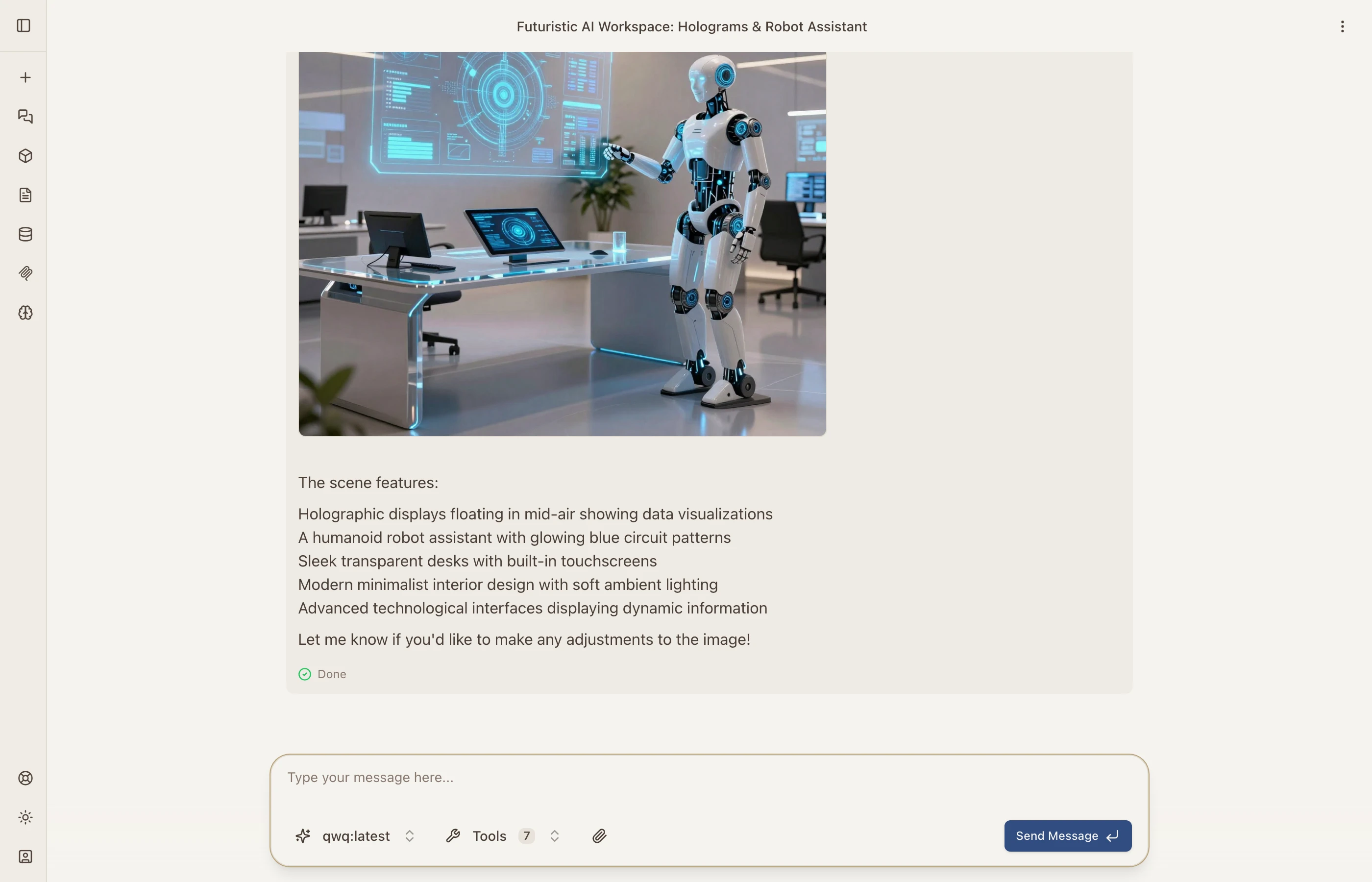
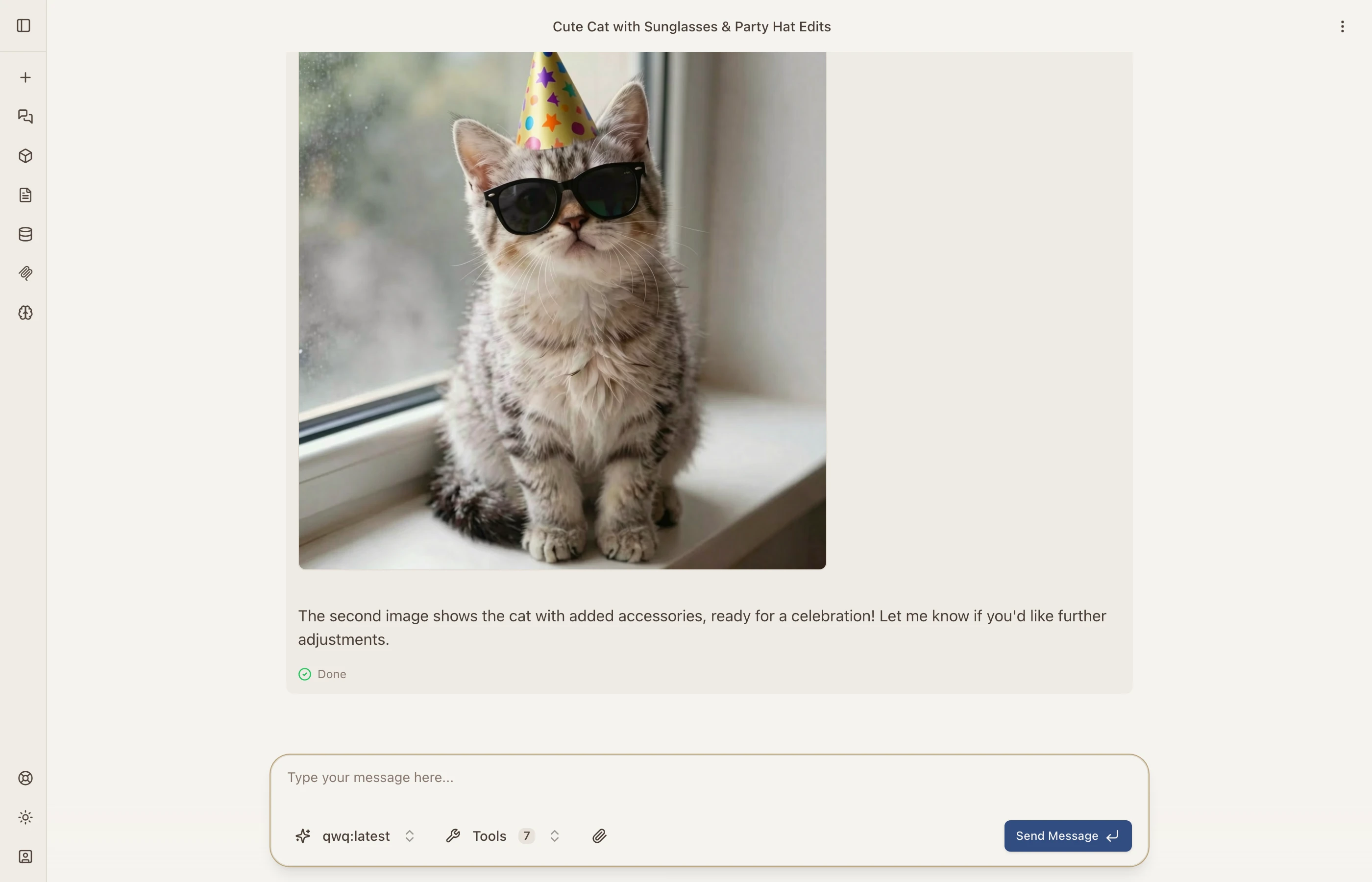
Create images from text with free models (z-image, Ideogram) or premium ones (Gemini, OpenAI), then keep going conversationally — edit results, change styles, or compose multiple images into one, all in the same chat.
Web Search & URL Fetching
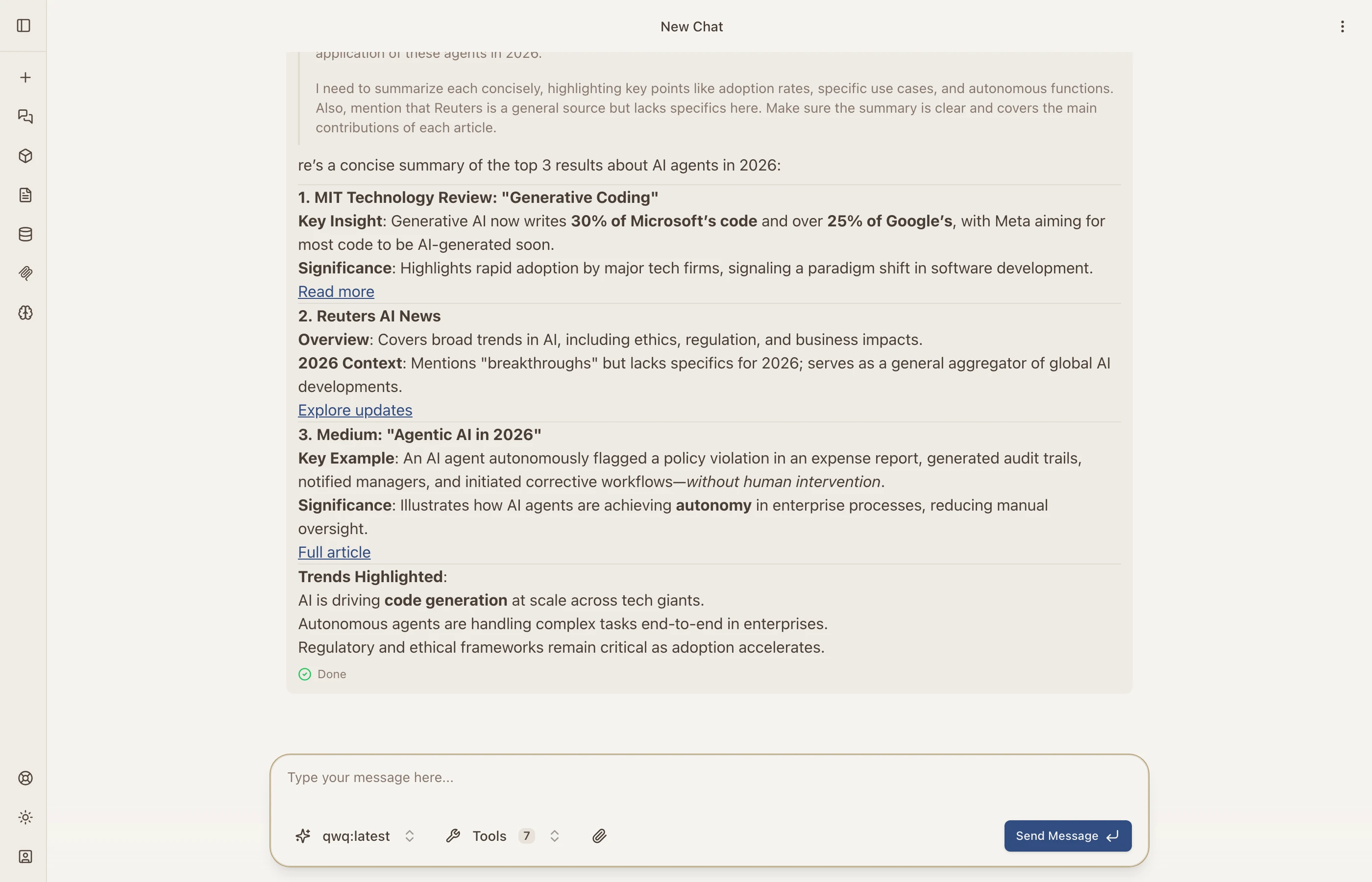
Search the web in real time via Brave Search and fetch any URL as clean markdown — the AI chains searches and fetches together, then cites its sources.
Ask Your Data in Plain Words
Connect PostgreSQL, MySQL, SQL Server, or Oracle — or upload SQLite and DuckDB files — and ask questions in plain language. Catalyst writes read-only SQL, returns a grid you can export to CSV or Excel, and reuses the results in chats and workflows. Drop PDFs, Word, PowerPoint, Excel, CSV, or JSON files on any prompt as knowledge.
Prompts & Skills
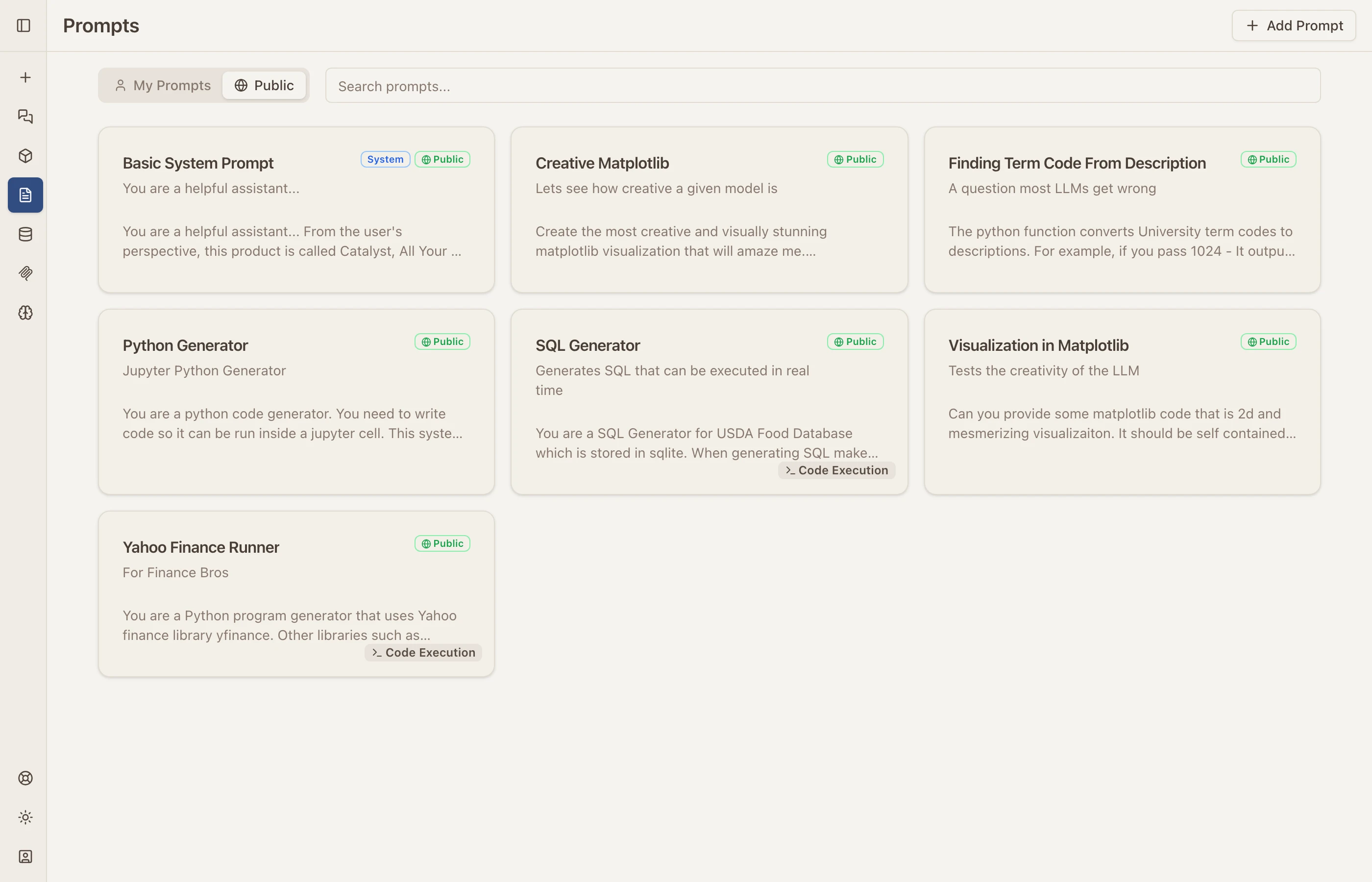
Save prompt templates with variables and live preview, and package the patterns that work into named skills — bundles of instructions, tools, and prompts invokable across chat, workflows, and agents.
More Features
-
MCP Integration — Plug in anything that speaks Model Context Protocol: local STDIO servers, remote OAuth servers, streaming tools. Tools run server-side, so your browser never sees the keys.
-
Agents, On a Leash — Autonomous agents plan and call tools with hard iteration and time budgets; step through, pause, or stop them at any point.
-
Collections — Schema-free named data buckets. Workflows fill them, mini apps surface them, chat queries them.
-
Theming — Light and dark modes, palettes, accent colors, and typefaces. Make the workspace yours.
-
Session Sharing — Share conversations and workflows with a link.
-
Self-Hostable — Use the hosted version or run the whole thing yourself. Data stays in your tenant by default.
-
iOS App — A native SwiftUI client is in development.